

Off-platform commission.
Every order accounted for.
Match orders to partners automatically and apply store or product commission rates. Generate settlement statements by period, then track when initial and final payments are due and received.
26 partners to confirm · 126 linked stores

Commission and partners.
Settlements you can follow.
See partners, linked stores, off-platform commission, and product categories together. Know who is driving sales and what each partner owes, without reconciling scattered spreadsheets.
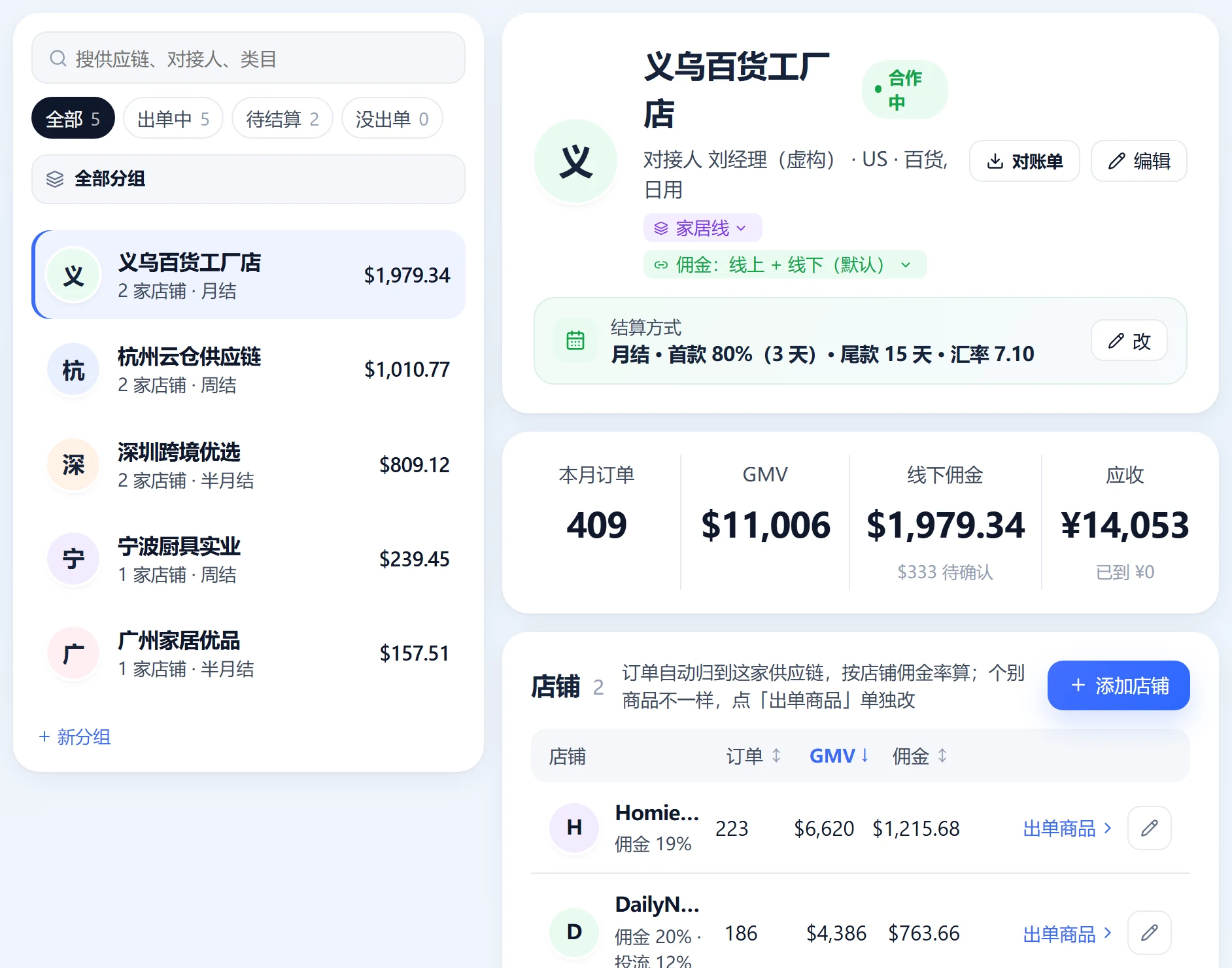
Link each store to its partner
Add a partner and link its stores. Paste a store or product link for identification, then future store orders map to that partner automatically.
- 1Four rate levelsOrder override → Product override → Store default → Partner default. The most specific rate wins.
- 2Separate paid trafficEnable separate calculations to use the store's paid-traffic commission rate on ad-driven orders.
- 3Combined commission ratesEnter a combined platform and off-platform rate. The system deducts the order's platform commission rate automatically.
 Open full-size image
See the partner and calculation for every order
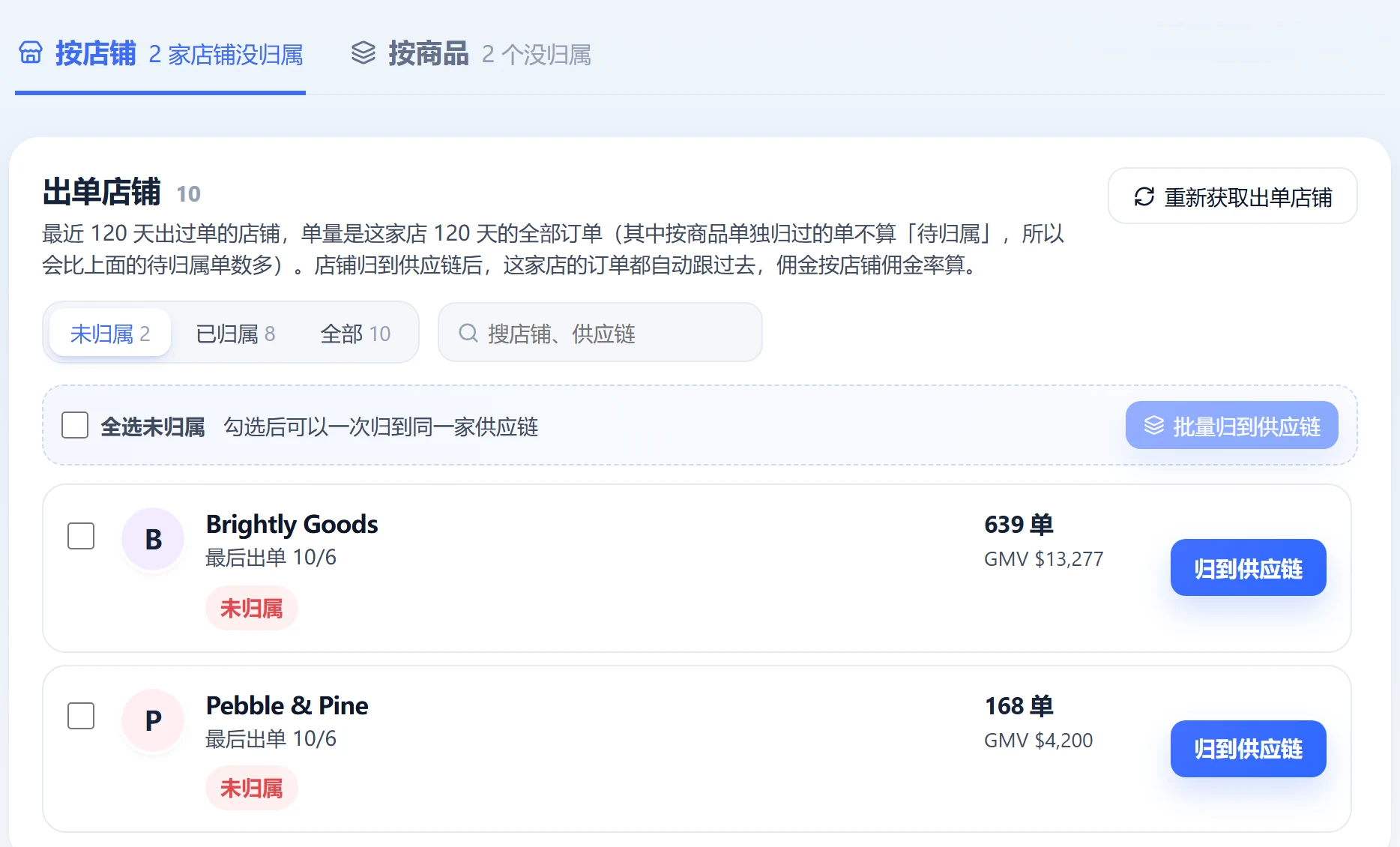
Attribution follows order binding, product rules, then store matching. Each order records the rule and commission rate used.
- 1Unknown is not zeroMixed-traffic orders or orders without rates stay in GMV awaiting confirmation instead of silently becoming zero.
- 2Unassigned order alertsThe overview highlights unassigned orders from the last 30 days.
 Open full-size image
Close the period. Follow every payment.
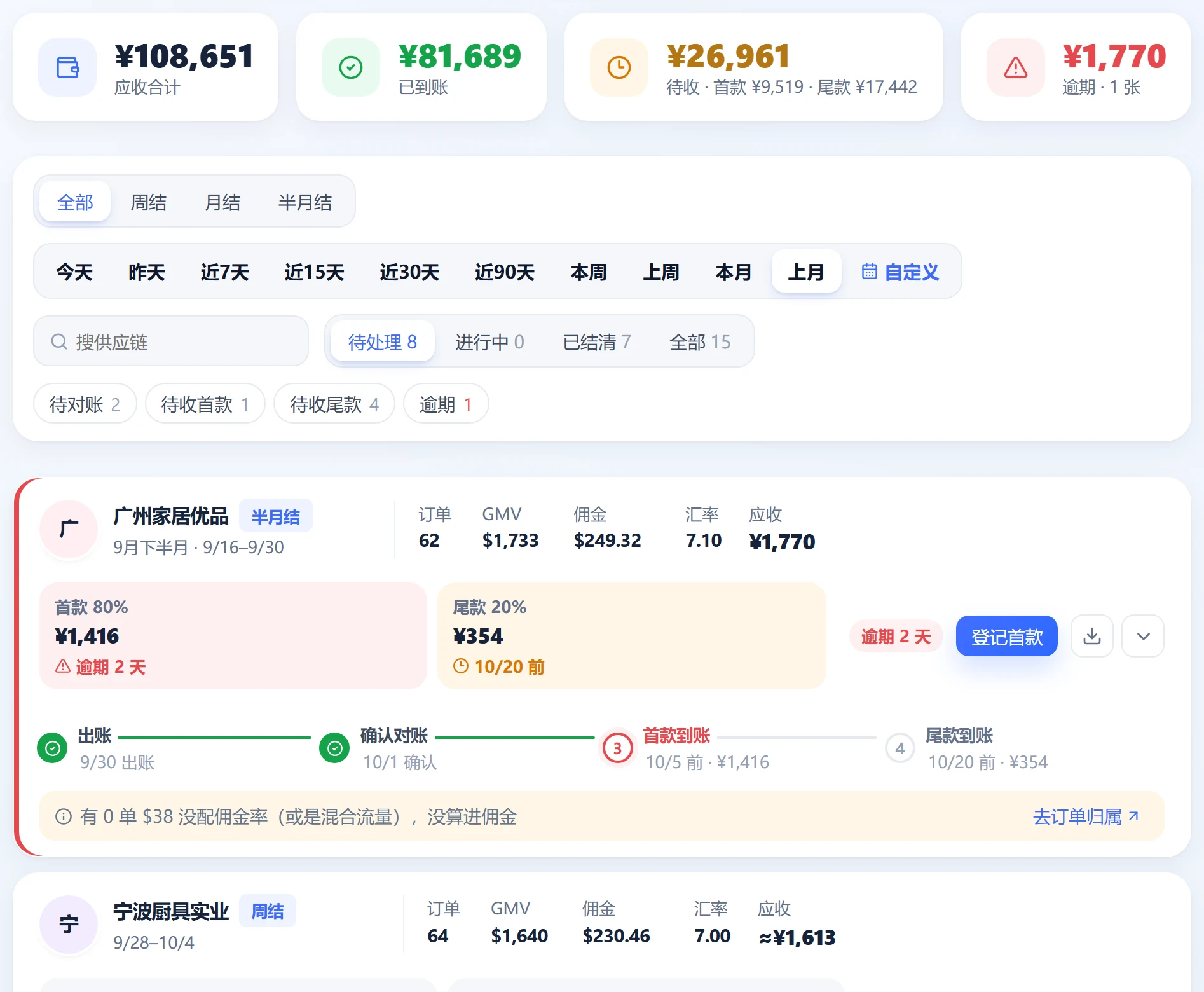
Use weekly, half-monthly, monthly, or custom cycles. Confirm reconciliation to freeze orders, GMV, commission, and exchange rates in a settlement statement. Record payments and flag overdue balances.
- 1Settlement cyclesWeeks run Monday–Sunday. Half-month periods run 1–15 and 16–month-end. Custom cycles can use days, weeks, or months.
- 2Initial / final paymentsDefaults: 80% initial payment due 3 days after period-end; final payment due after 15 days. Both are configurable.
- 3Record paymentRecord initial, final, or other payments with optional screenshots. Changes to rates or dates after statement creation are logged.
 Open full-size image
From an order to a settlement statement
Follow orders through payment collection and profit accounting.
- 01Orders arriveAutomatic sync
- 02Match to partnerOrder → Product rule → Store match
- 03Calculate commissionOrder → Product → Store → Partner rate
- 04Close the periodWeekly / Half-monthly / Monthly
- 05Confirm reconciliationFreeze orders, commission, and exchange rates
- 06Receive initial and final paymentsRecord receipts and flag overdue balances
How do settlements relate to Profit & cost?
Profit & cost uses commission calculated per order and does not depend on a settlement statement. Settlement reconciliation tracks whether payment has been received.
What if one partner has multiple stores?
Link all its stores to the same partner. Future orders map automatically, without selecting a partner for each order.
Can staff access Business center?
Currently, owners and business staff have access. A view limited to an employee's own account commission and receipts is in development.
Brand deals: practical guides
Actionable checklists, from general workflows to using Star Captain. Guide articles are currently available in Chinese only.
Your TikTok team. In sync.
Start free with Spark: 20 accounts and automatic order sync. Upgrade as your accounts and team grow.