

What does each account earn?
See the full picture.
Calculate revenue from order-level commission. Bring account purchases, devices, networks, payroll, and expenses into costs. Drill into daily profit by team, person, and account, with payback progress alongside it.
Know what each account costs.
See what your business earns.
Connect account revenue, devices, networks, staffing, and partner settlements.
Follow costs and profit from one account to your whole team.

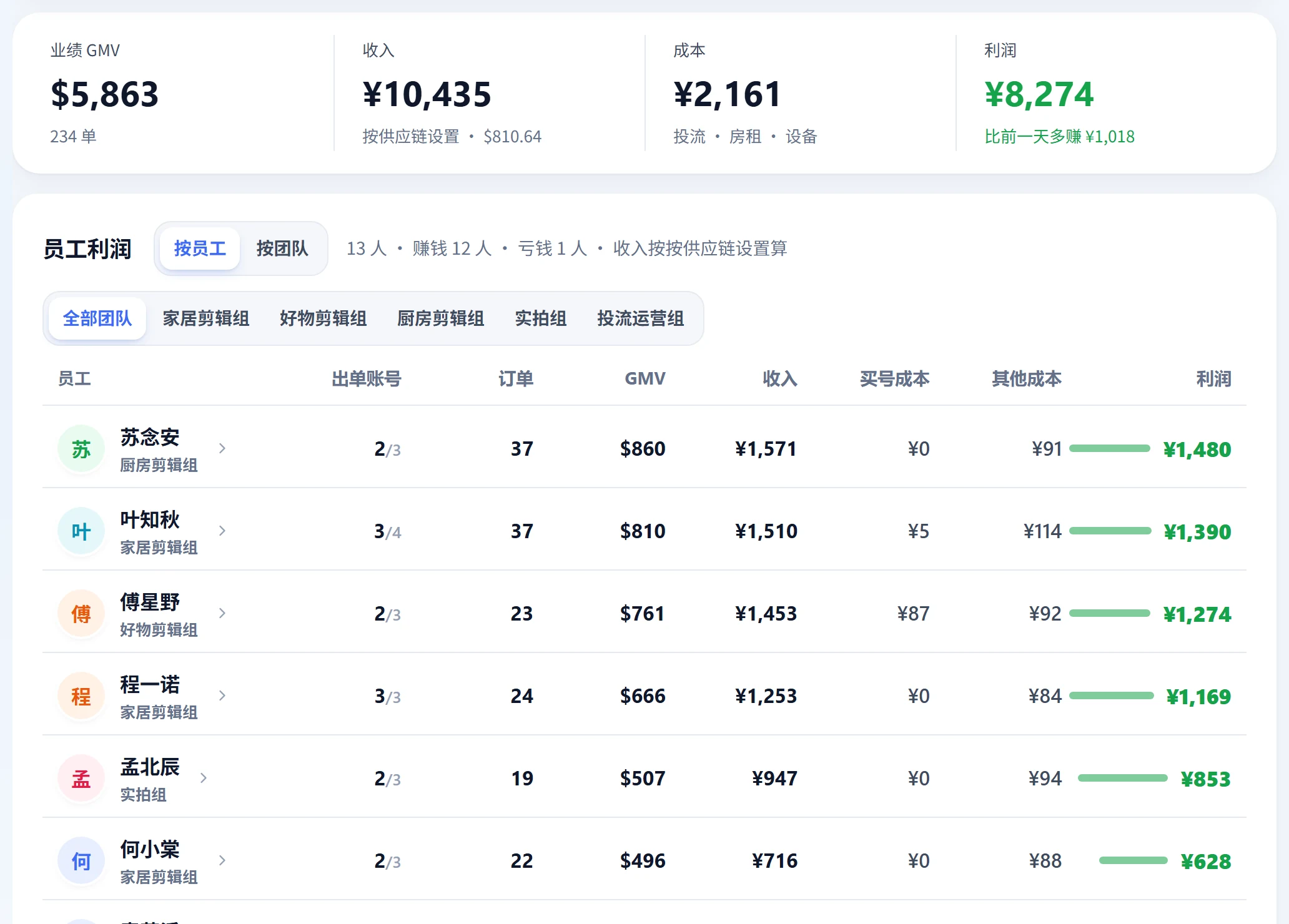
From company totals to one account
Expand daily revenue, cost, and profit through teams, people, and accounts. Find what's profitable and where costs need attention.
- 1Revenue sourcesOff-platform commission uses the partner's settlement exchange rate. Platform commission uses the default exchange rate.
- 2Recognized by orderRevenue is calculated from orders, without waiting for payment. Track actual receipts separately in Business center settlements.
- 3Unassigned expensesExpenses without a specific owner are allocated across staff based on their account counts.
 Open full-size image
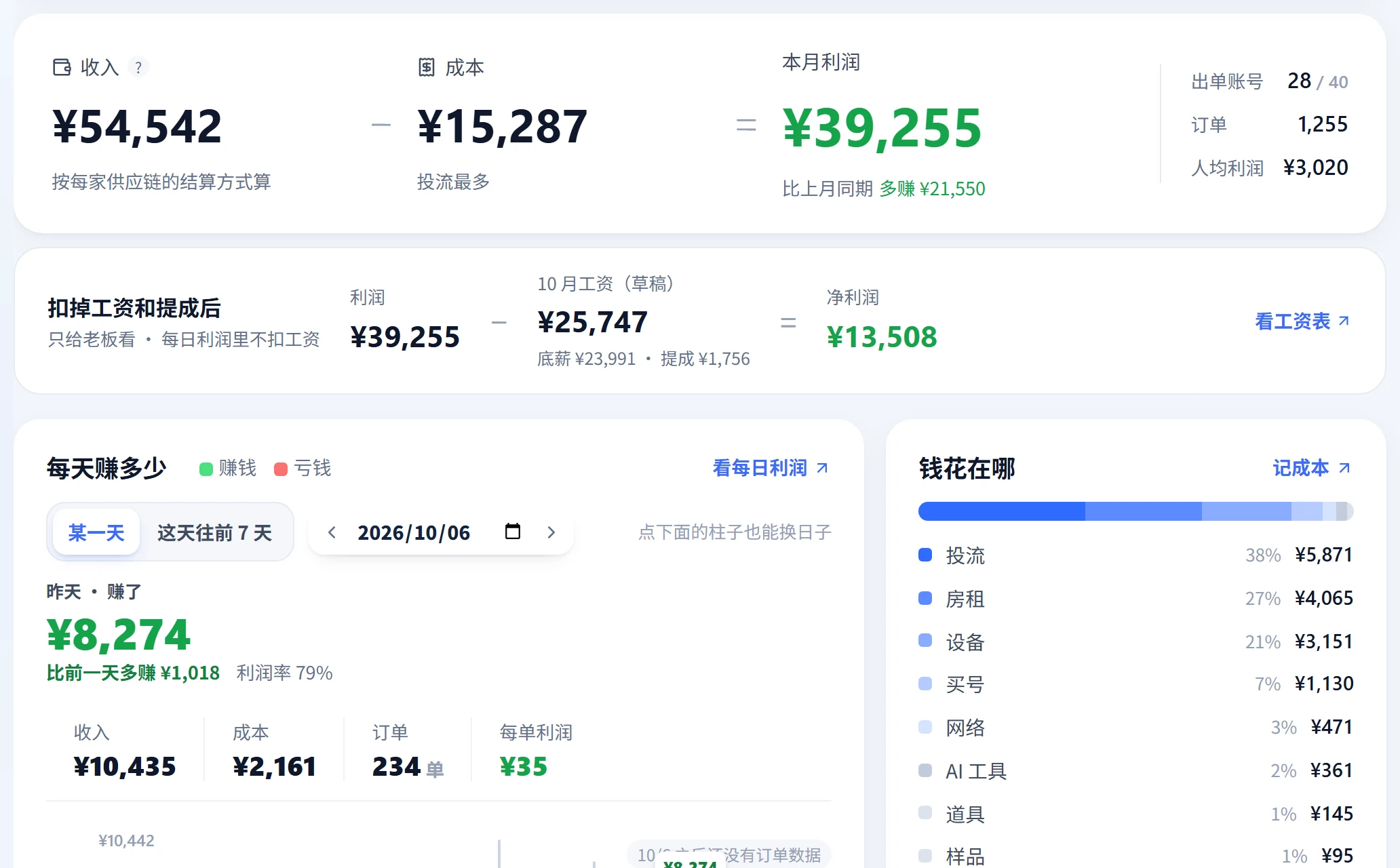
Know where every expense went
Account purchases, devices, networks, and AI tools sync from existing records. Add rent, utilities, office costs, sample shipping, and ads manually, with your own categories.
- 1Account purchase costsRecognize costs on purchase or spread them by day. Single-account costs above ¥20,000 are treated as input errors and excluded from profit.
- 2Devices & networksDevices default to a 180-day allocation. Networks use their monthly fee, both from toolbox records.
- 3Manual expensesTrack rent, utilities, office supplies, software, props, ads, sample shipping, and custom categories.
 Open full-size image
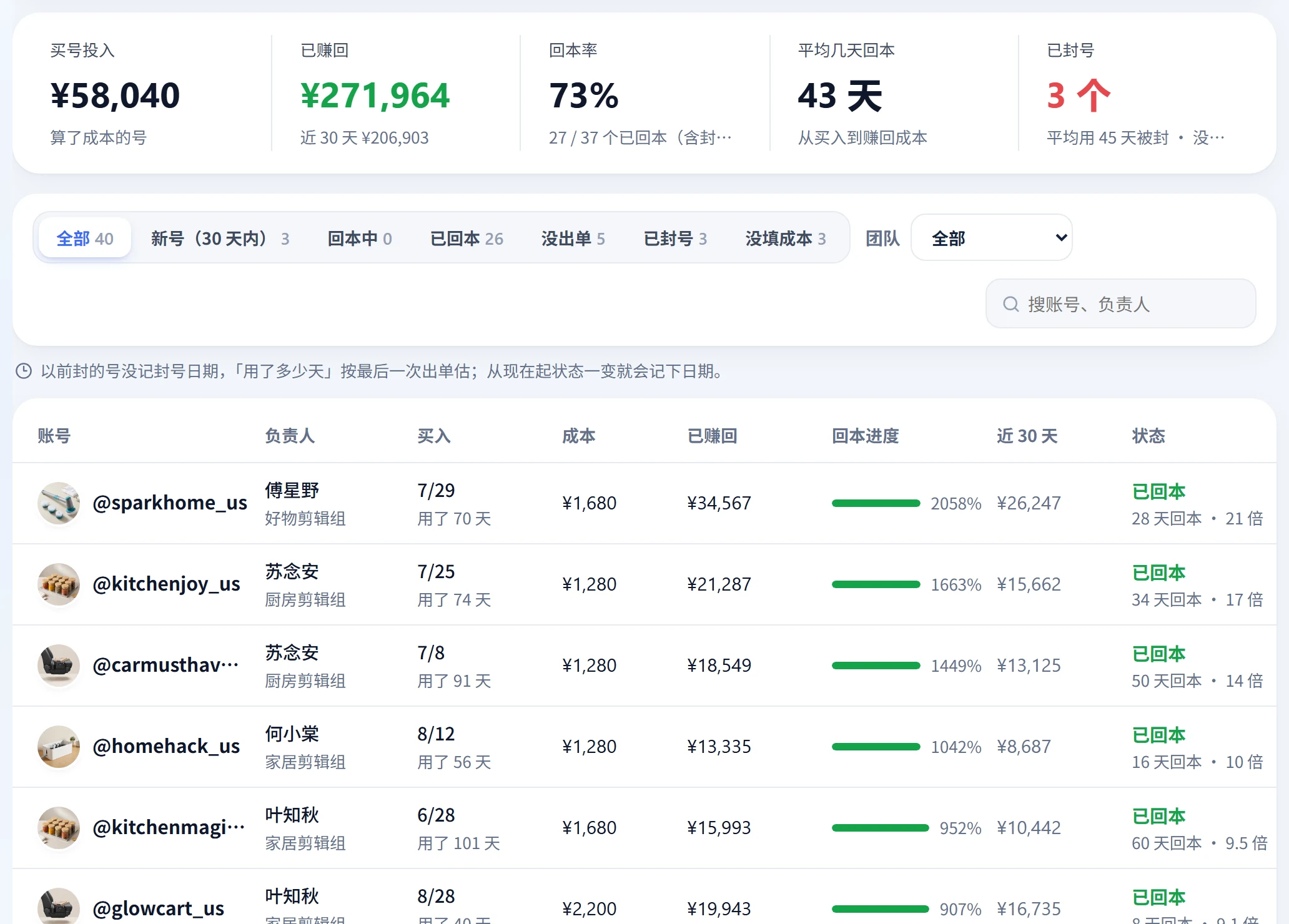
How long until an account pays back?
See each account's investment, recovered profit, payback ratio, estimated days remaining, and unrecovered costs for banned accounts.
- 1Payback ratioRecovered profit divided by purchase and allocated costs.
- 2Loss on banned accountsUnrecovered costs are listed separately to show the full cost of your account portfolio.
 Open full-size image
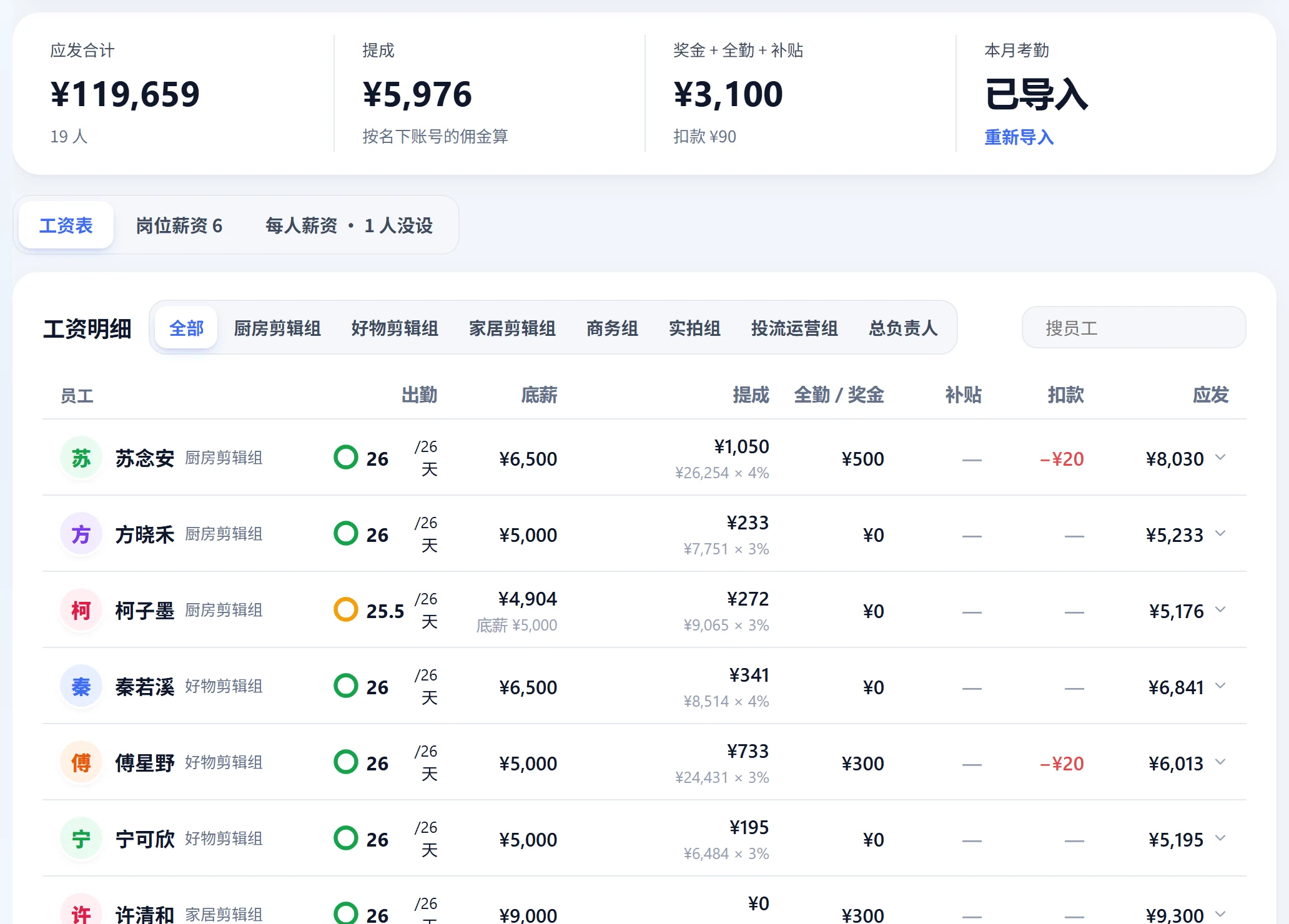
A monthly payroll sheet, ready to review
Prorate base pay by attendance, add commission and bonuses, and subtract deductions. Add custom allowances, confirm to freeze amounts, and let staff view their own details.
- 1CommissionCommission from the employee's accounts, optionally after costs, multiplied by their commission rate. Supports up to 10 tiers.
- 2Role-based paySet base-pay templates by role. Individual settings take precedence.
- 3Attendance sourcesImport DingTalk or WeCom exports, or use Star Captain clock-in records.
 Open full-size image
From an order to operating profit
Order → Commission → Revenue → Costs → Profit. Trace every step back to the details.
- 01Orders arriveSync after account authorization
- 02Calculate commissionPartner and product rules in Business center
- 03Convert revenue to CNYApply the settlement exchange rate
- 04Subtract costsAccounts, devices, networks, payroll, expenses
- 05Daily profitTeam → Person → Account
Is profit based on cash received?
No. Profit is recognized from orders. Track payments received in Business center settlements, so you can review daily performance before cash arrives.
How do exchange rates work?
Each partner can have a settlement exchange rate. Otherwise the configurable default applies, initially 6.8.
Can staff see profit?
No. Profit and cost are restricted to the owner. Staff can see their own payroll details.
Profit & cost: practical guides
Actionable checklists, from general workflows to using Star Captain. Guide articles are currently available in Chinese only.
Your TikTok team. In sync.
Start free with Spark: 20 accounts and automatic order sync. Upgrade as your accounts and team grow.