Bring scattered numbers into one workflow
Star Captain brings TikTok affiliate order tracking and team performance into one workspace: start from the overview and rankings, then drill down to a specific account, product, or single order.
TikTok Shop analytics in Star Captain syncs orders and commission about every 10 minutes, with GMV, platform commission, estimated off-platform commission, and refunds counted in GMT-8 to match the TikTok app.
Star Captain editorial team ·
 TikTok accounts
 Orders & performance
 Team management
 Profit & cost
 Brand deals
 Creator toolboxSolutions
 Solo creators
 Creator teams
 Multi-department companiesToolsTikTok Shop Profit CalculatorTikTok Account Payback CalculatorAll toolsMorePricingTutorialsAboutLog inCreate free account →
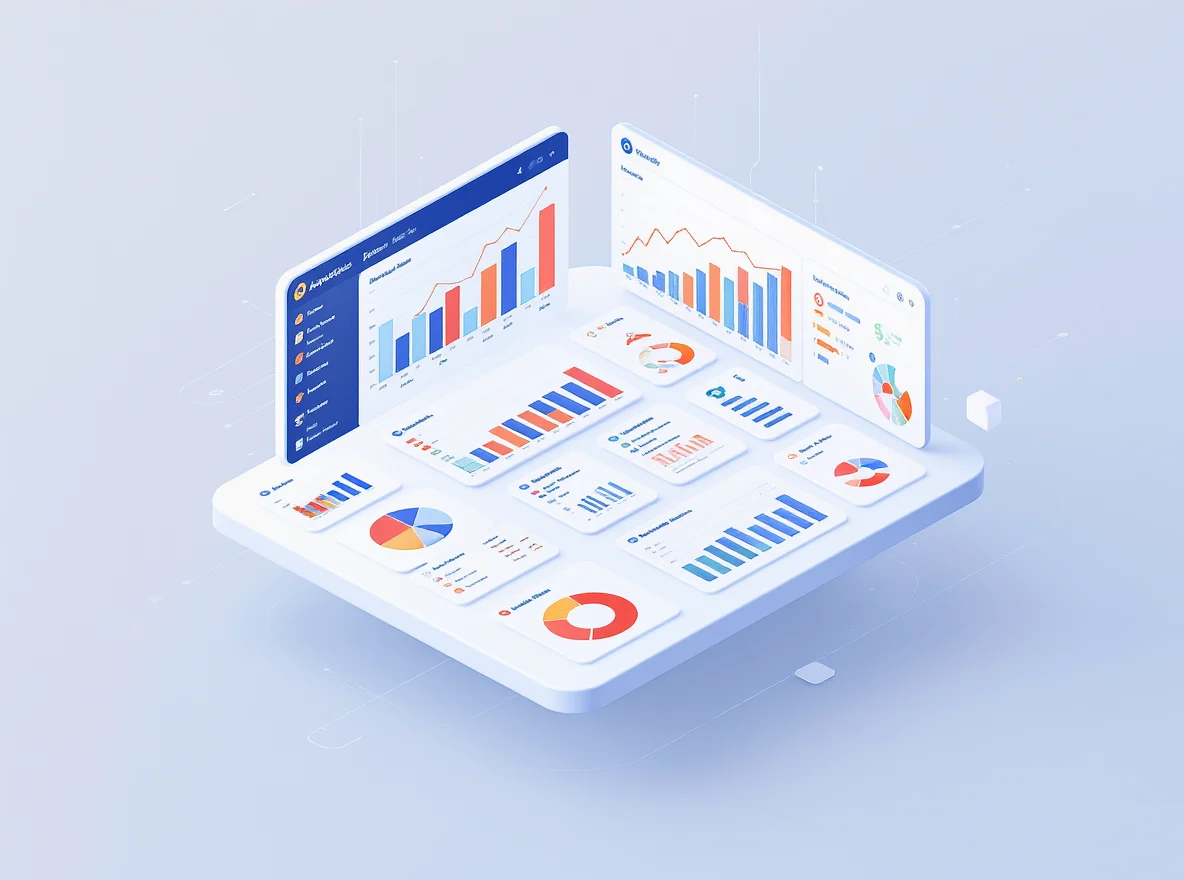
Follow orders, video views, account performance, and team rankings in one place. See who is driving sales and which products are gaining traction. Export details for Showcase and channel accounts.


 Updating

Oct 06, 22:41 · Order from @kitchenmagic_us
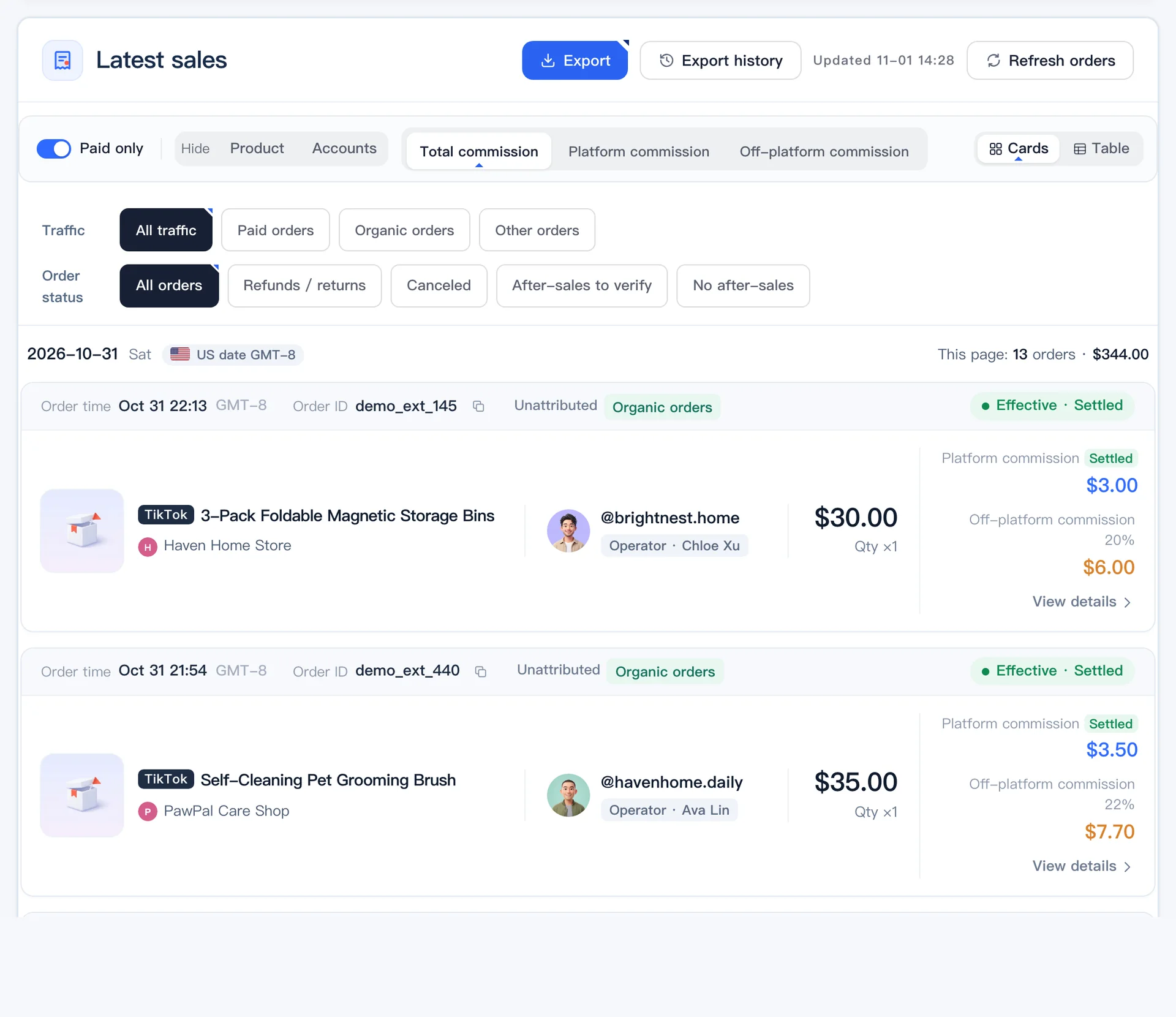
In Star Captain's TikTok affiliate order tracking workspace, start with period totals and inspect each order: account, product, store, GMV, platform and partner commission, paid or organic traffic source, and refund status. Want to check daily orders, traffic sources, and rankings by account or staff? See How to see which accounts sell today.
 Open full-size image
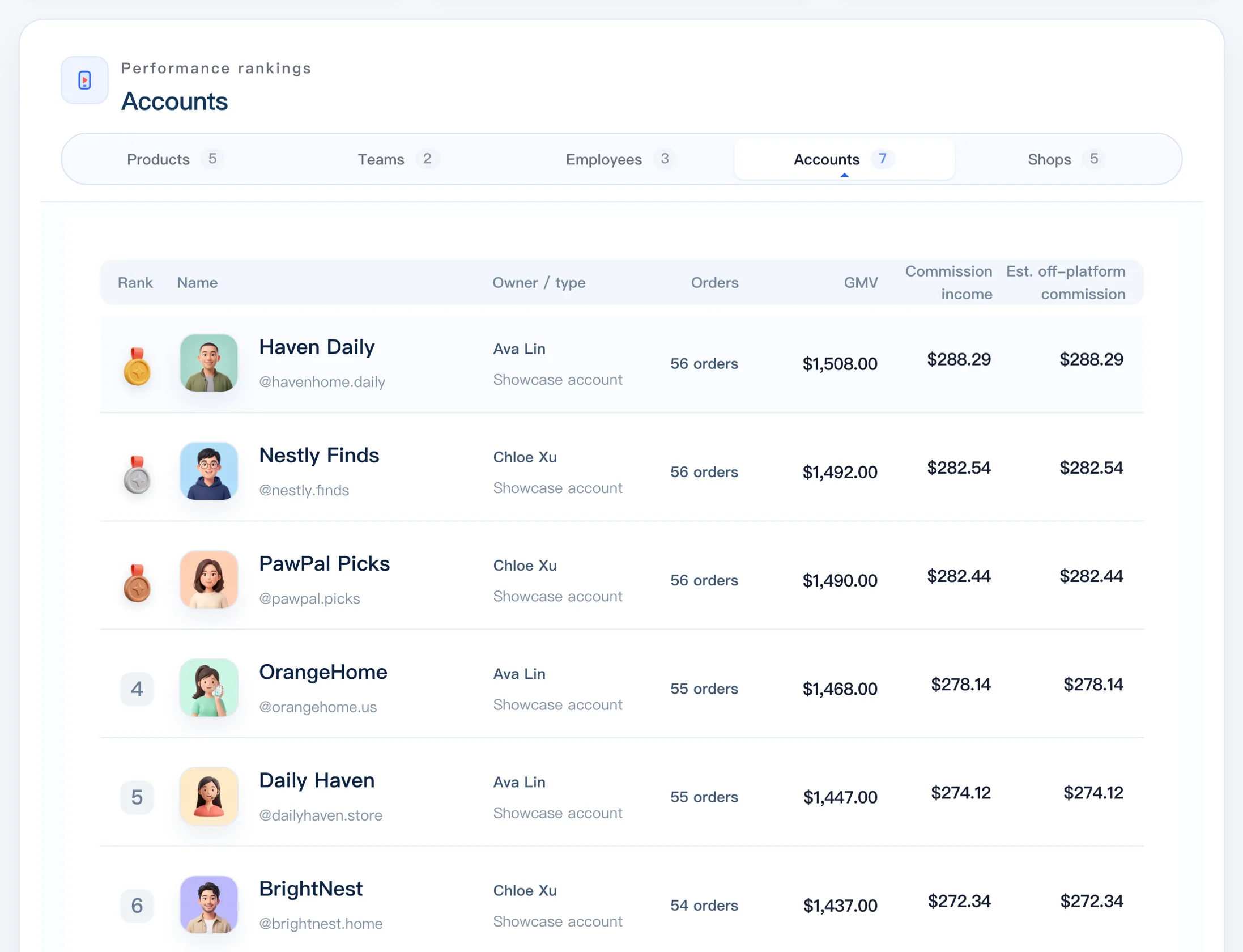
Rank staff, accounts, and products by order count, GMV, or commission. TikTok affiliate order tracking calculates staff performance automatically from account ownership without manual spreadsheet reporting. Prefer to ask a plain question like "Which account had the most orders yesterday?" See How to Ask the Star Captain Assistant About Your Data (Like "Which Account Had the Most Orders Yesterday?").
 Open full-size image
Export itemized Showcase orders and channel account summaries to Excel in one step for partner reconciliation or finance review. Need to filter orders by date and partner brand and export an Excel statement? See How to reconcile with partner brands and export statements.
Align the reporting time zone and order status filter first. Star Captain's TikTok affiliate order tracking uses fixed GMT-8 (changing day at 4 PM Beijing time, matching the TikTok App data page), whereas US TikTok Seller Center uses Pacific Time; sync lags by only a few minutes and refunds follow platform updates.
Staff performance is totaled automatically from the orders on each employee's assigned accounts. When an account changes owners, new orders count toward the new owner, and role permissions control whether staff see only their own accounts or group rankings.
Every synced order carries its traffic attribution label so TikTok affiliate order tracking separates organic short-video orders from paid Shop Ads orders, allowing your team to apply separate partner commission rates and evaluate true ROAS.
Orders sync automatically about every 10 minutes after account authorization, with immediate 7-day sync and up to 90-day background backfill. Full refunds, partial refunds, returns, and cancellations are labeled separately as platform updates arrive.
Showcase accounts provide itemized affiliate order details including product, store, GMV, and commission, whereas shop-linked channel accounts are presented as account-level daily sales summaries without fabricating item-level rows.
Yes. You can filter orders by date range, account, traffic source, partner brand, or after-sales status, then download up to 30 days and 500 orders instantly or generate up to 90-day Excel exports in the background.
How Star Captain helps you review accounts, videos, orders, and team performance, separating GMV, commission, refunds, and operating costs.
Star Captain brings TikTok affiliate order tracking and team performance into one workspace: start from the overview and rankings, then drill down to a specific account, product, or single order.
GMV is gross sales. Platform and off-platform commission is your revenue, and profit is what remains after account setup costs, devices, and payroll. Refunds and after-sales status are flagged separately, as TikTok Seller Center reports them.
When numbers swing, filter by date, market, traffic source (paid or organic), and account to check them. Data that is missing or still pending is clearly marked, never replaced with zero.
Check exceptions and orders every day, and review staff, account, and product rankings at a set time each week. Final settlement still follows platform statements and your partner contracts.
Actionable checklists, from everyday workflows to using Star Captain. Read the full guides in English.
GET STARTED
Start on the Free plan ($0, up to 3 members, unlimited TikTok accounts, no card required). Upgrade to Basic, Pro, or Enterprise as your team grows.