 TikTok accounts
 Orders & performance
 Team management
 Profit & cost
 Brand deals
 Creator toolbox
 Solo creators
 Creator teams
 Multi-department companies
Who is this for?
- Team owners and leads who need to see which accounts sell today and gain traction
- Operators checking whether their accounts generated orders after posting videos or running ads
- Managers comparing today's sales rankings across accounts, products, and staff
What to prepare before starting?
- Connect your team's TikTok accounts to Star Captain via QR code authorization.
- For channel accounts, if you want same-day live sales instead of next-day totals, click "Turn on sales sync" on the account card under "Accounts" and scan once more.
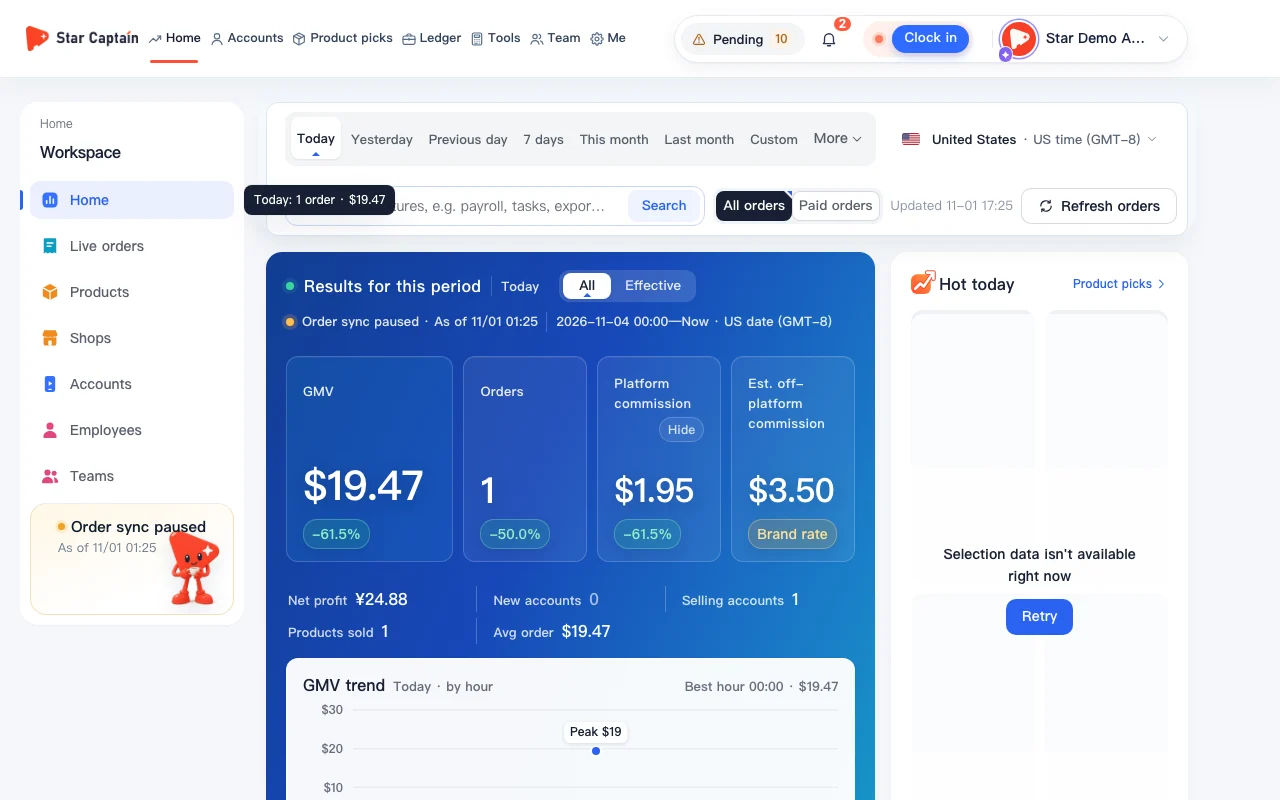
01Check total selling accounts on "Home" to see which accounts sell today
To see which accounts sell today, click "Home" in the left menu and switch the date range to "Today". The "Results for this period" cards at the top show today's "GMV", "Orders", "Selling accounts", "Platform commission", and "Est. off-platform commission". You can toggle between "All" and "Effective" (which excludes refunded or returned orders).
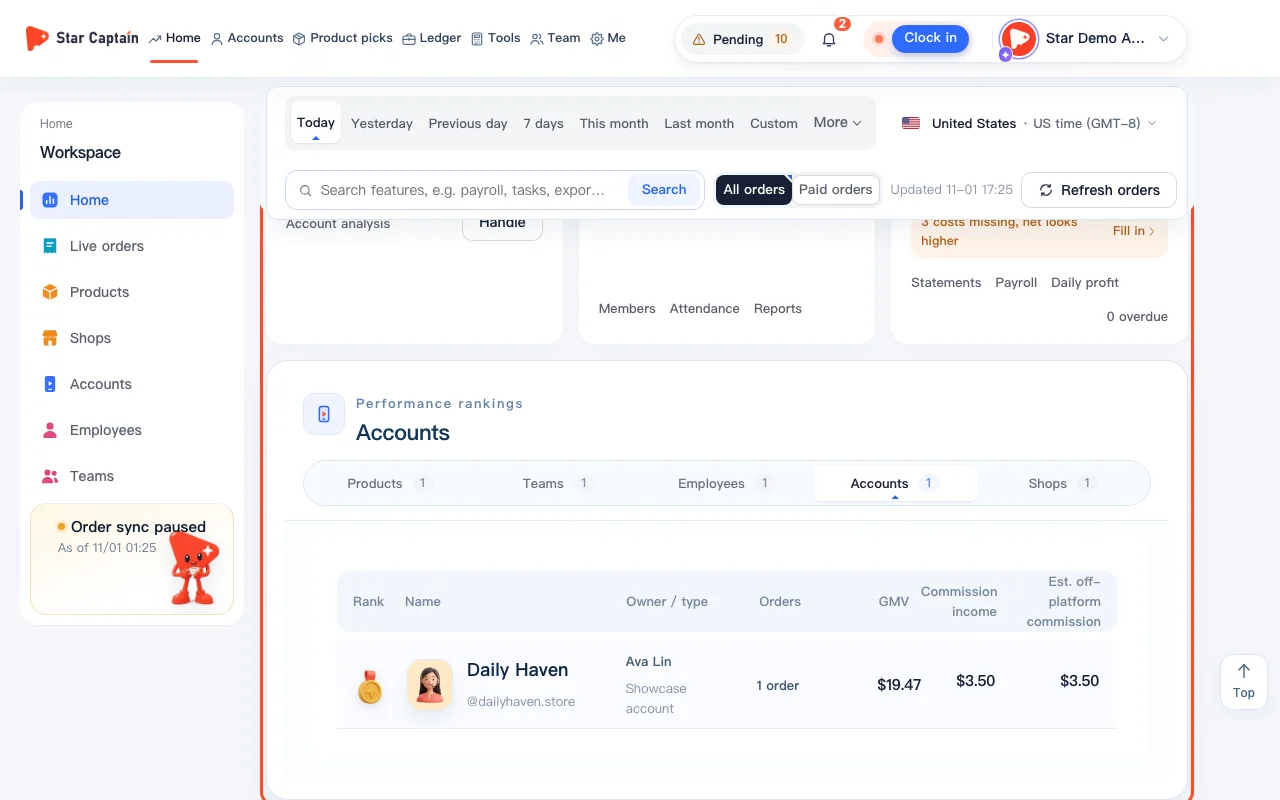
02View today's account leaderboard under "Performance rankings"
Scroll down on "Home" to "Performance rankings" and select the "Accounts" tab. Accounts with sales today are ranked "By GMV", with the top 3 highlighted at the top and a "Full ranking" button for the complete list showing orders, GMV, operator, and commission. You can also switch tabs to "Products", "Employees", "Teams", or "Shops".
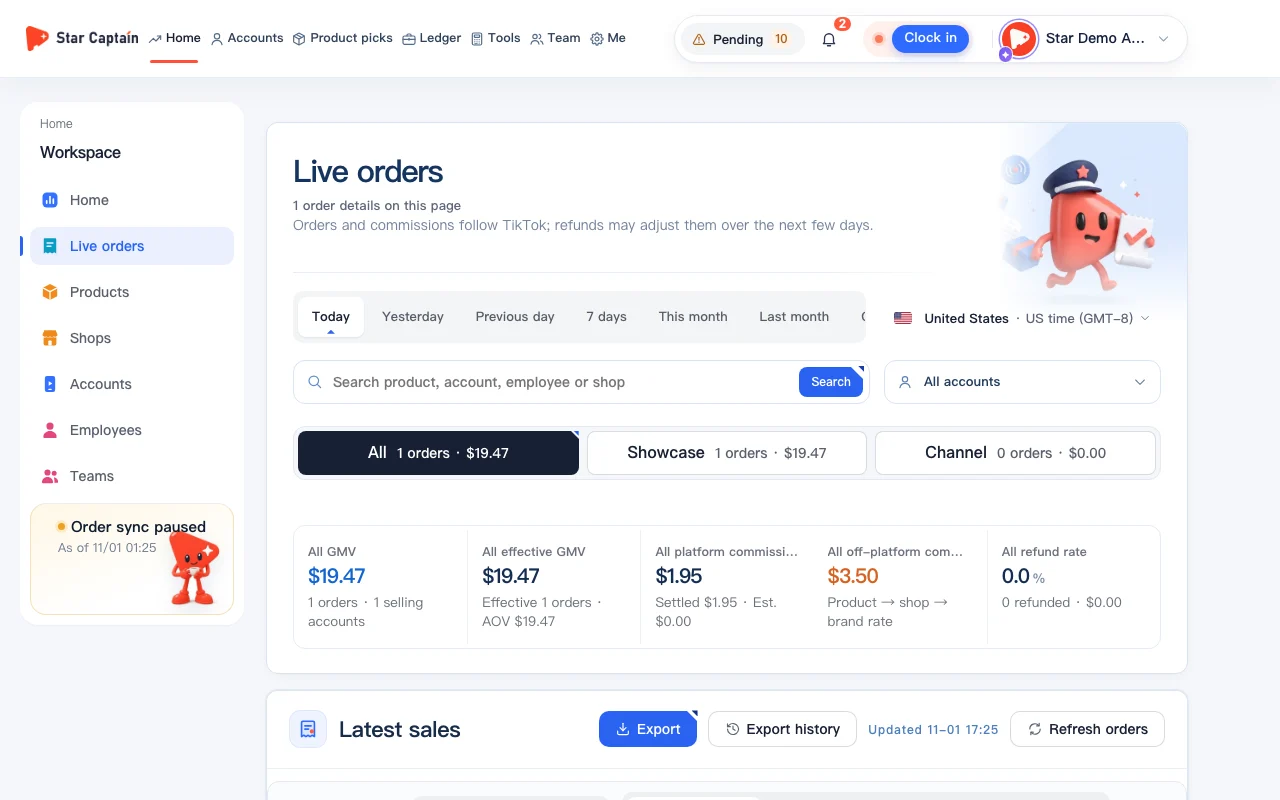
03Open "Live orders" for order details and "Accounts by sales"
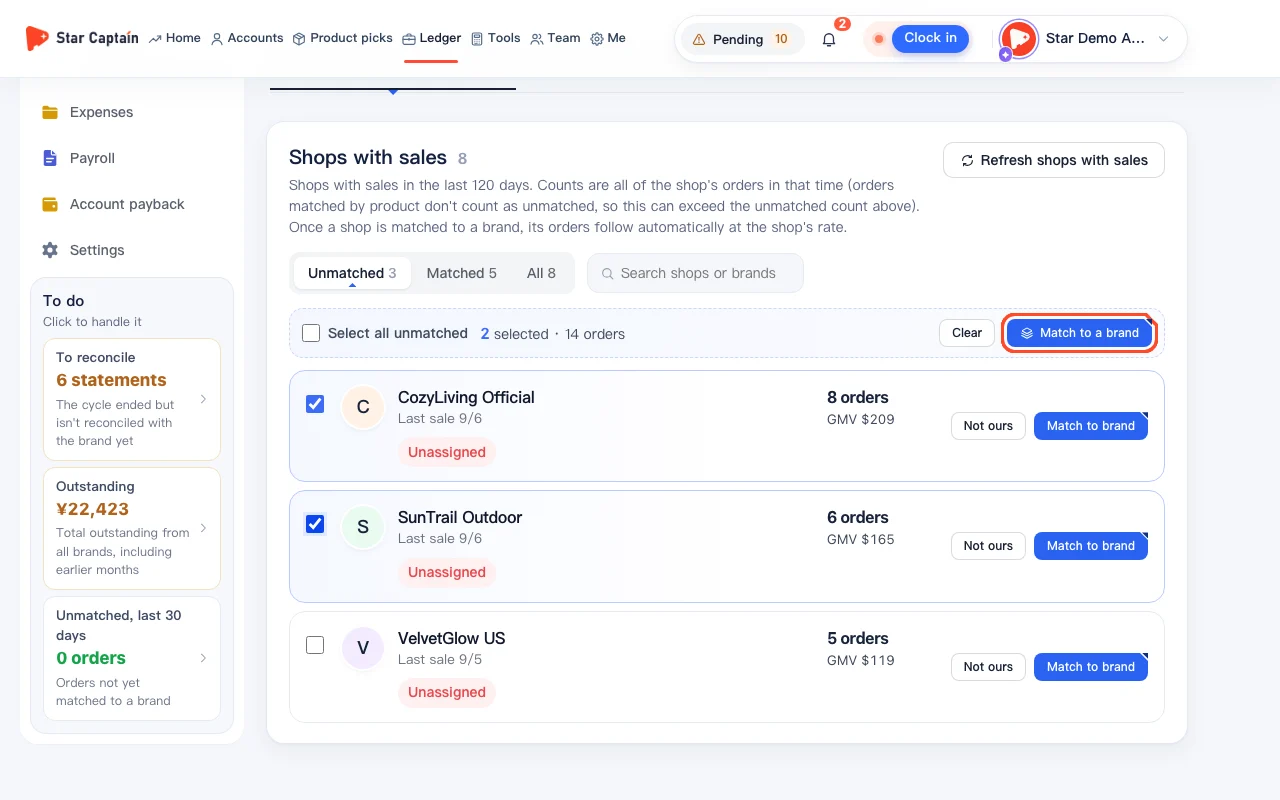
Open "Live orders" from the left menu to see "Accounts by sales" alongside the "Live sales" list. Click "Refresh orders" in the top right if you want to pull the latest orders right away. Each order card shows which account sold the item, the product, the order amount, and the commission.
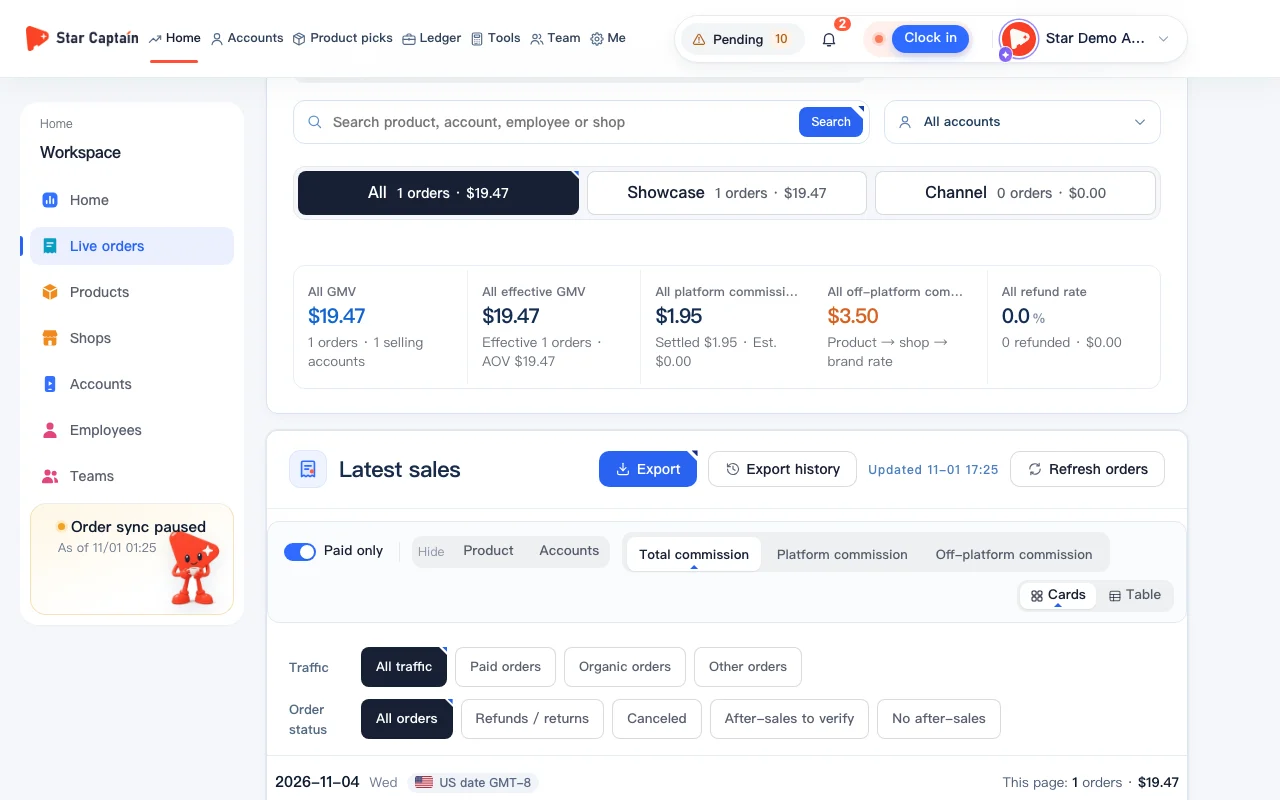
04Filter by account, traffic source, or sale source
At the top of "Live orders", use "Order accounts" to filter down to specific accounts. You can also filter by "Traffic" ("All traffic", "Paid orders", or "Organic orders"), by "Sale source" ("Video", "LIVE", or "Shop / showcase"), or turn on "Paid only".
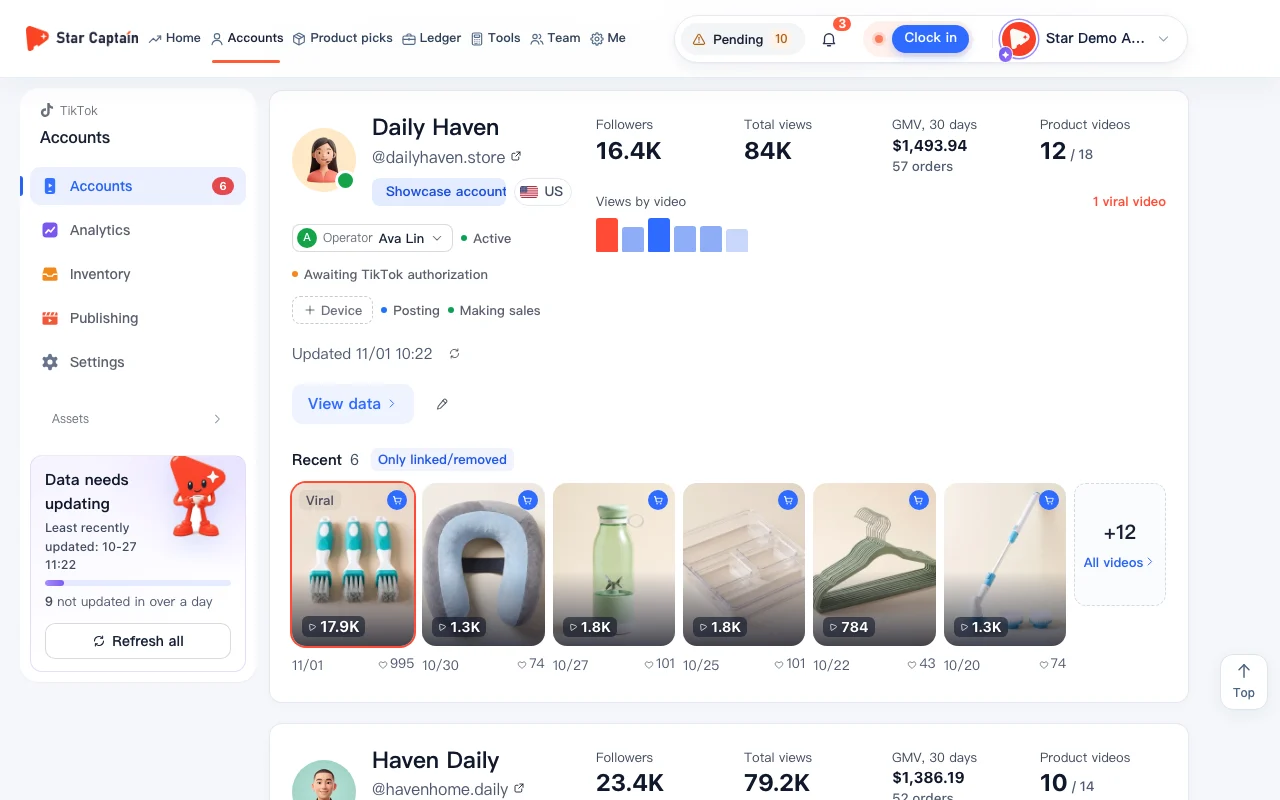
05Filter by "Making sales" on the "Accounts" page
Open "Accounts" in the left menu, click the "Making sales" filter chip, and set the card "Sales" period to "Today". The page will only show accounts that are actively selling, making it easy to see which accounts sell today with "GMV today" displayed on each card.
Screenshots use demo data. Check the product for what you actually see.
FAQ
Is "Today" based on Beijing time or US time when I see which accounts sell today?
US orders are grouped by US Pacific Time (GMT-8) to match the TikTok App data page, so the day turns over at 16:00 Beijing time and the previous day settles by 16:30. Mexico (GMT-6) and Brazil (GMT-3) follow their local dates. You can switch the order card display time between "US time (GMT-8)" and "Beijing time" without changing which day an order counts toward.
How often do orders update?
Orders sync automatically about every 10 minutes, and historical orders are backfilled daily. To check right away, click "Refresh orders" on the "Live orders" page.
How do showcase accounts and channel accounts differ in sales display?
Showcase accounts report order-by-order details, including products, commission, and paid vs. organic traffic. Channel accounts with official authorization only report daily items sold per product once a day (T+1); once you click "Turn on sales sync" on the account card and scan the QR code, same-day sales sync automatically.
Can I check today's selling accounts on my phone?
Yes. Scan with WeChat to open the Star Captain mini-program and view today's GMV, orders, and accounts on your phone, or follow the WeChat service account for order surge alerts.