 TikTok accounts
 Orders & performance
 Team management
 Profit & cost
 Brand deals
 Creator toolbox
 Solo creators
 Creator teams
 Multi-department companies
Who is this for?
- TikTok commerce operators who spot a high-converting competitor video and want to see how the first 3 seconds hook viewers and how selling points are paced
- Team leads who need foreign-language product videos transcribed, translated, and turned into a shot-by-shot storyboard that editors can shoot right away
- Content managers who want a shared library of torn-down viral videos that the whole team can reference anytime
What to prepare before starting?
- You are signed in to the Star Captain workspace and your role has access to the "Viral teardown" tool
- You have a working TikTok video link (or raw share text copied from the TikTok app), or a local video/audio file under 24MB
01Open "Tools → Viral teardown" (or "Me → Viral teardown") and paste a TikTok video link
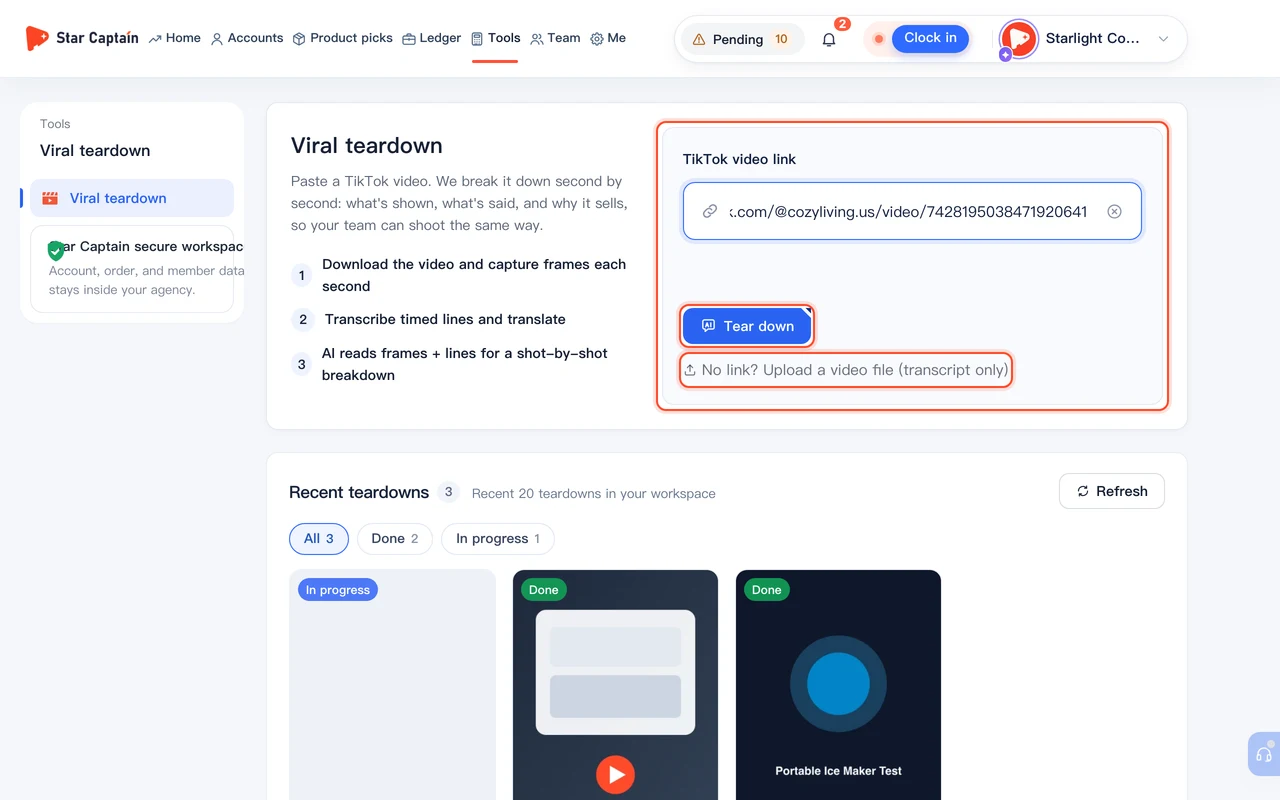
To tear down a viral TikTok video, from the left sidebar or top navigation, go to "Tools → Viral teardown" (or "Me → Viral teardown"). In the input field ("Paste a video link or share text, e.g. https://www.tiktok.com/@…/video/…"), paste your TikTok link or share text (or click "Paste"), then click "Tear down". If you only have a local file without a TikTok link, click "No link? Upload a video file (transcript only)" below the box to upload an MP4, MOV, or MP3 file up to 24MB for a transcript-based script breakdown.
02Wait 1–3 minutes for frame capture, transcription, and AI review
Once submitted, the page shows "Tearing down this video" and runs three stages: "Download the video and capture frames each second", "Transcribe timed lines and translate", and "AI reads frames + lines for a shot-by-shot breakdown". This usually takes 1–3 minutes. Feel free to leave the page—when it finishes, the record appears under "Recent teardowns" with the status "Done".
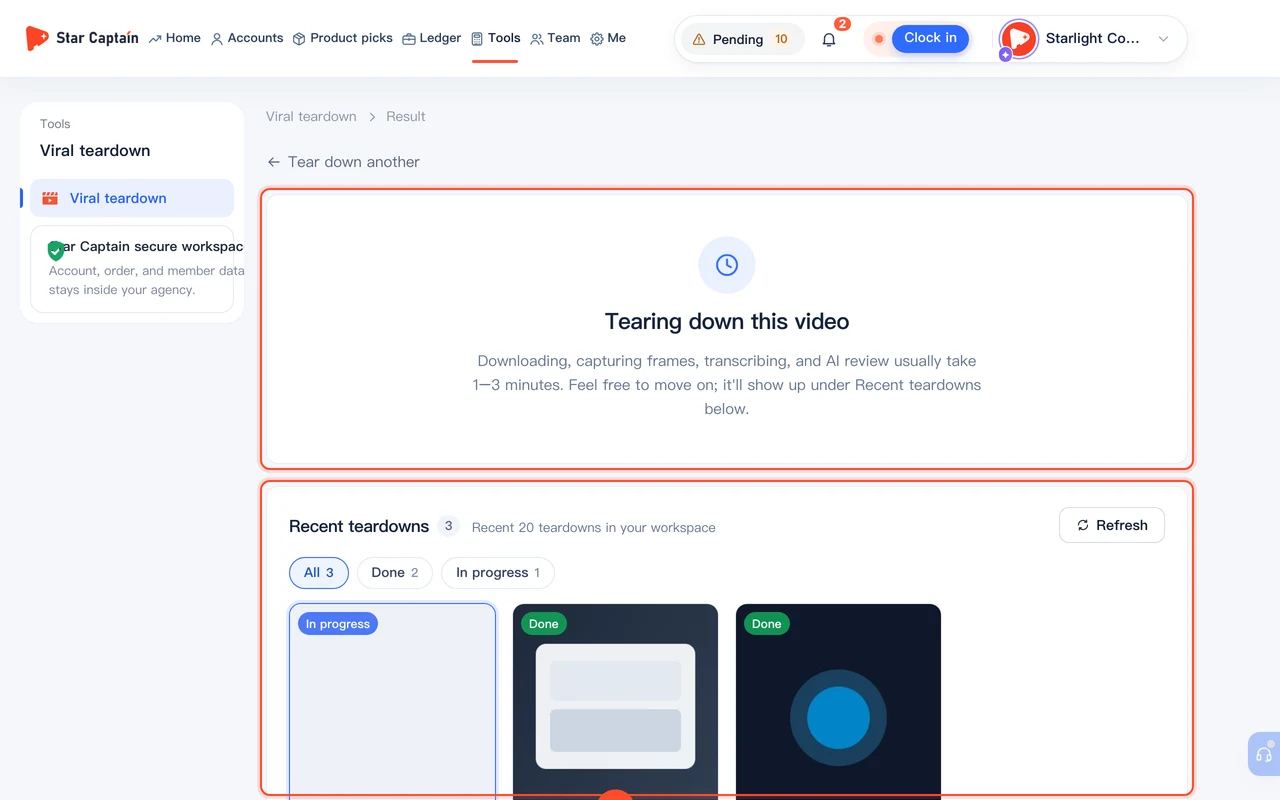
03Review "Why it sells" and the "First 3 sec" hook
Click the finished record to open "Result". At the top, read the "Why it sells" summary, then check the "First 3 sec · How it hooks viewers" card to see the "Opening style" and "Why it works" alongside real stills from the opening seconds—showing whether the video hooks people with a pain-point question, a visual contrast, or a close-up demo.
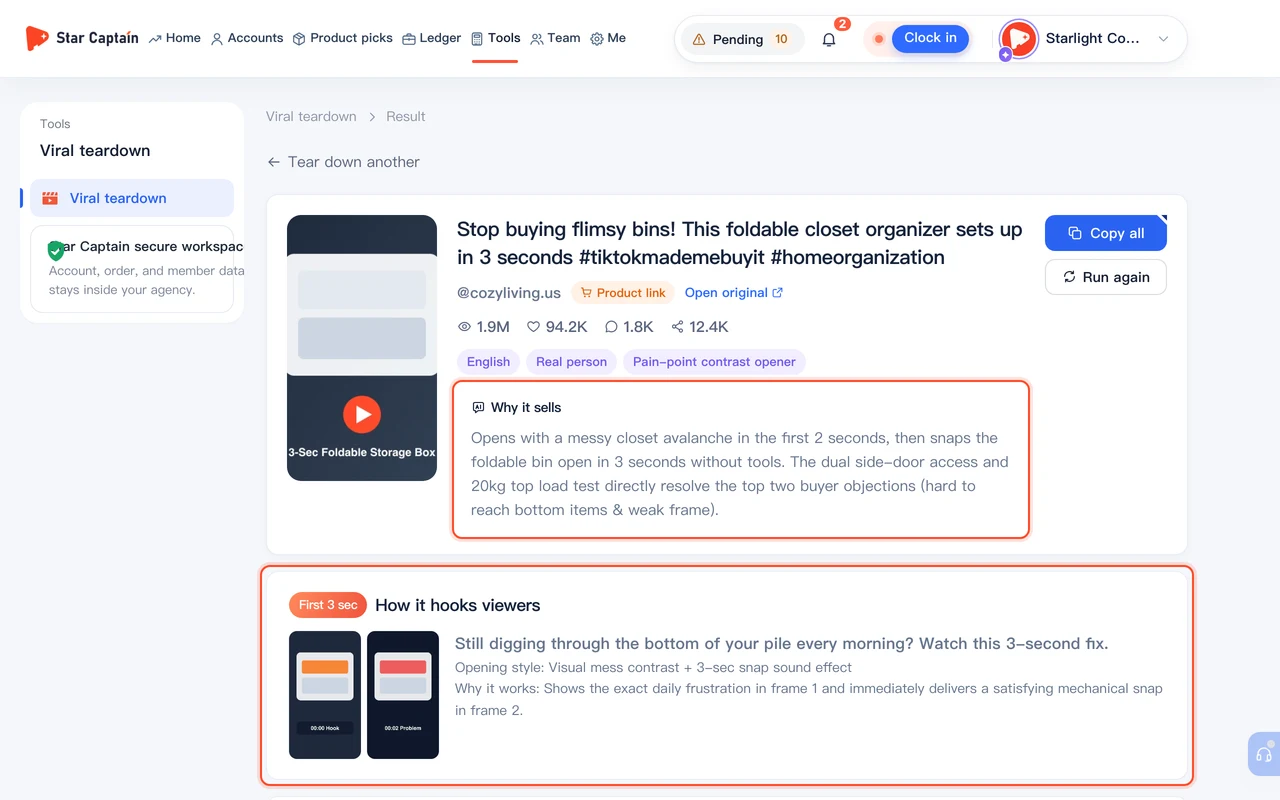
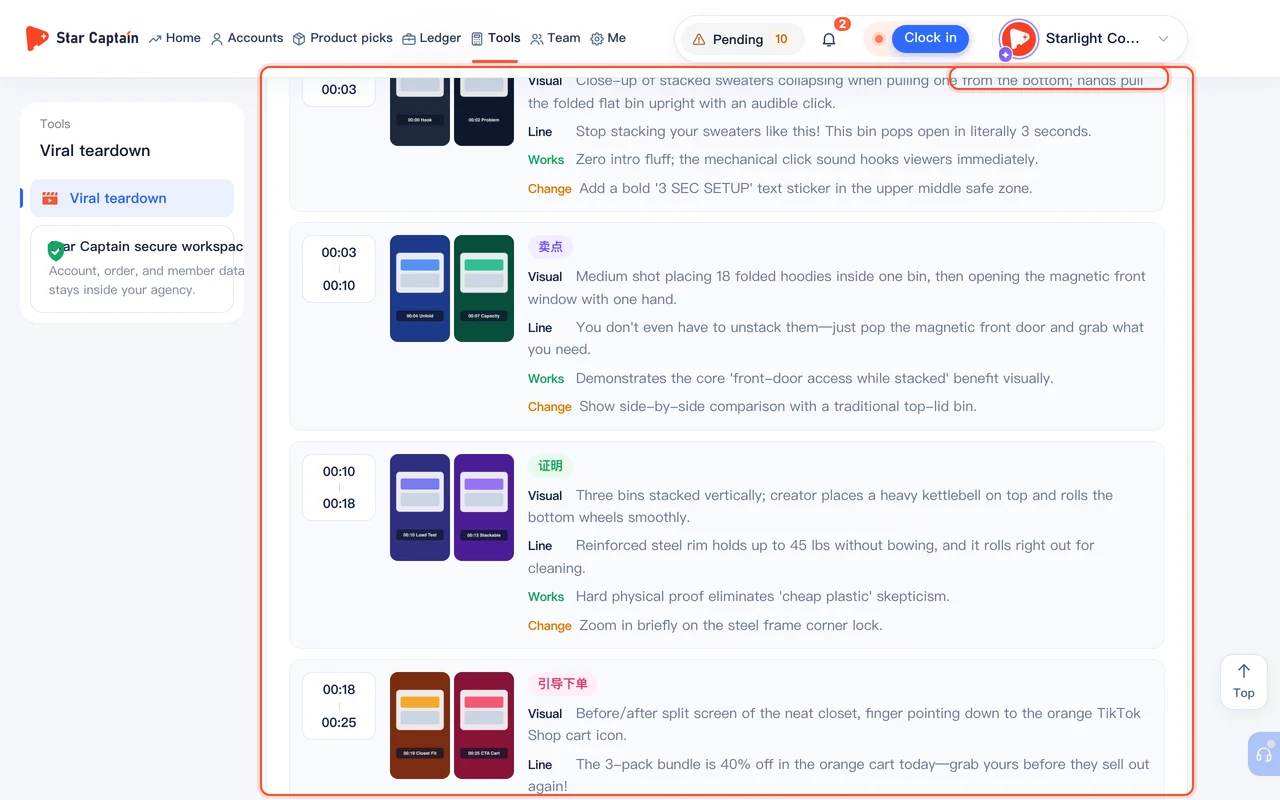
04Inspect "Shot by shot" frames, bilingual script, and improvement tips
Scroll down to the "Shot by shot" section, where you can switch between "Shots" and "Script + Chinese". In the "Shots" tab, each segment pairs real video stills from those seconds with "Visual", "Line", "On-screen text", "Shot size", and "Camera", plus notes on what "Works" and what to "Change". Switch to "Script + Chinese" whenever you want to read the timed original transcript side by side with its translation.
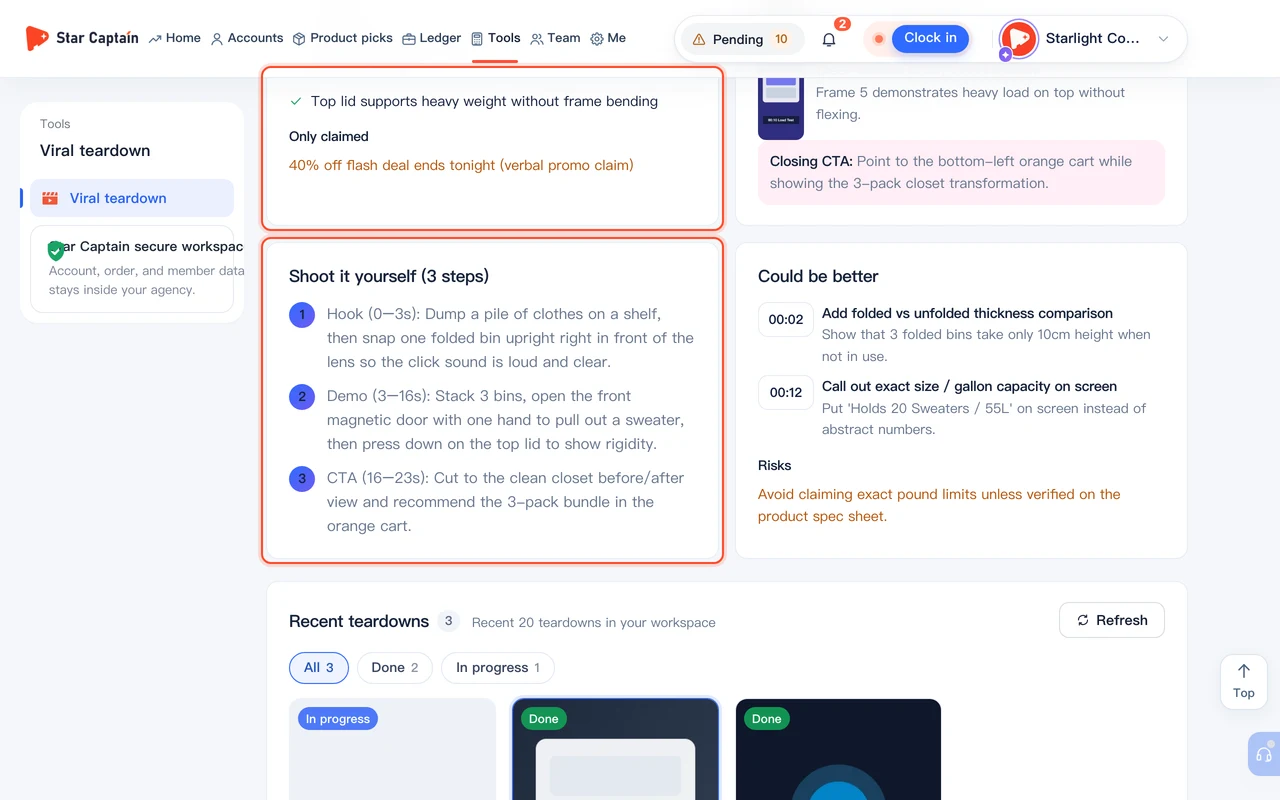
05Check "Conversion moments" and "Shoot it yourself (3 steps)", then click "Copy all"
At the bottom of the result page, review "Conversion moments" (breaking down "What it sells", what is "Shown on screen" versus "Only claimed", key "Selling points", and the "Closing CTA"), followed by "Shoot it yourself (3 steps)", "Could be better", and "Risks". Click "Copy all" in the top-right corner ("Full teardown copied") to paste the complete timed breakdown and remake steps into your team chat or video brief.
Screenshots use demo data. Check the product for what you actually see.
FAQ
Can I paste the full share text copied from the TikTok mobile app?
Yes. You don't need to strip out the caption or hashtags first—paste the entire share text into the box and Star Captain will extract the TikTok URL automatically.
What is the difference between pasting a TikTok link and uploading a local file?
Pasting a TikTok link downloads the video, captures stills every second, and uses AI to analyze both visuals and audio—giving you a "Shot by shot" storyboard with frame images, camera angles, and visual proof analysis. Clicking "No link? Upload a video file (transcript only)" analyzes the audio track to produce an original "Transcript", "Translation", and transcript-based "Structure" (hook, body, and call to action) without video frames.
Do teammates need to rerun a video that someone in our agency already tore down?
No. Your agency's recent teardowns are saved under "Recent teardowns" at the bottom of the page. Any teammate with access can click an existing record to view the full breakdown immediately.
What if I see "This tool isn't enabled for your role"?
Ask your agency owner or admin to open "Team → Members → Roles" (or "Team → Permissions") and enable the viral teardown tool under "Features" for your role or account.