 TikTok accounts
 Orders & performance
 Team management
 Profit & cost
 Brand deals
 Creator toolbox
 Solo creators
 Creator teams
 Multi-department companies
Who is this for?
- Team owners setting up Star Captain and bringing their TikTok accounts in for the first time
- Anyone who has opened a new account and wants to bind a TikTok account in the workspace
- Anyone whose authorization has expired and needs to scan again
What to prepare before starting?
- Install TikTok on your phone and log in to the account you want to connect.
- Make sure your Star Captain login is the team owner or has permission to authorize accounts. Usually the owner handles authorizing and assigning accounts.
- If you are close to your plan's account limit, check that you can still add one more.
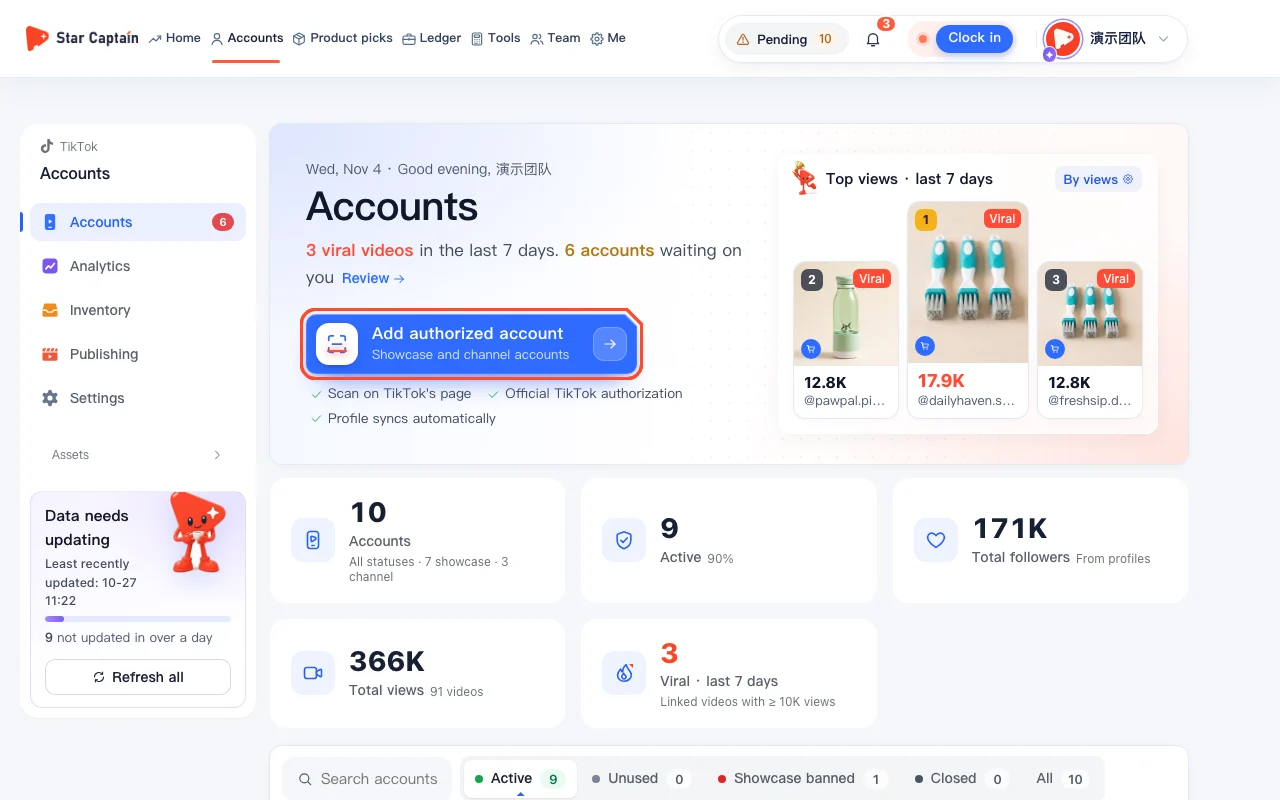
01Open "Accounts" to bind a TikTok account
To bind a TikTok account, click "Accounts" in the top navigation, then click the blue "Add authorized account" button below the page title. On a phone browser, an intro window appears first; just tap "Generate authorization QR code" in it.
02Open the authorization QR code window
The "Scan to connect a TikTok account" window opens with the country set to "United States", and it notes "Channel accounts currently support US accounts only". If scanning from the screen is awkward, click "Copy link" and open it on the phone with TikTok, or click "Download QR code".
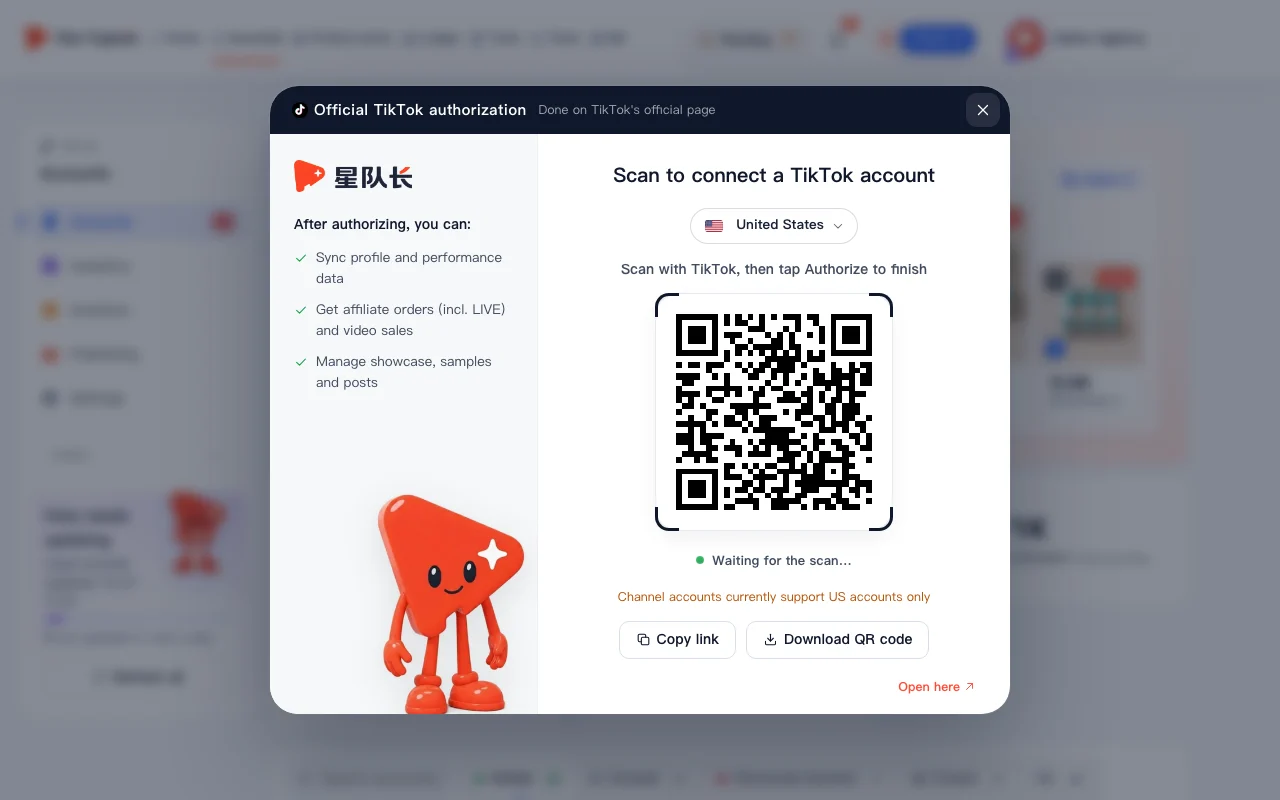
03Scan with TikTok and authorize
On the phone logged in to the account you want to connect, scan the code with TikTok and tap "Authorize" on TikTok's official page. This step happens inside TikTok, and you never type your TikTok password into Star Captain when you bind a TikTok account.
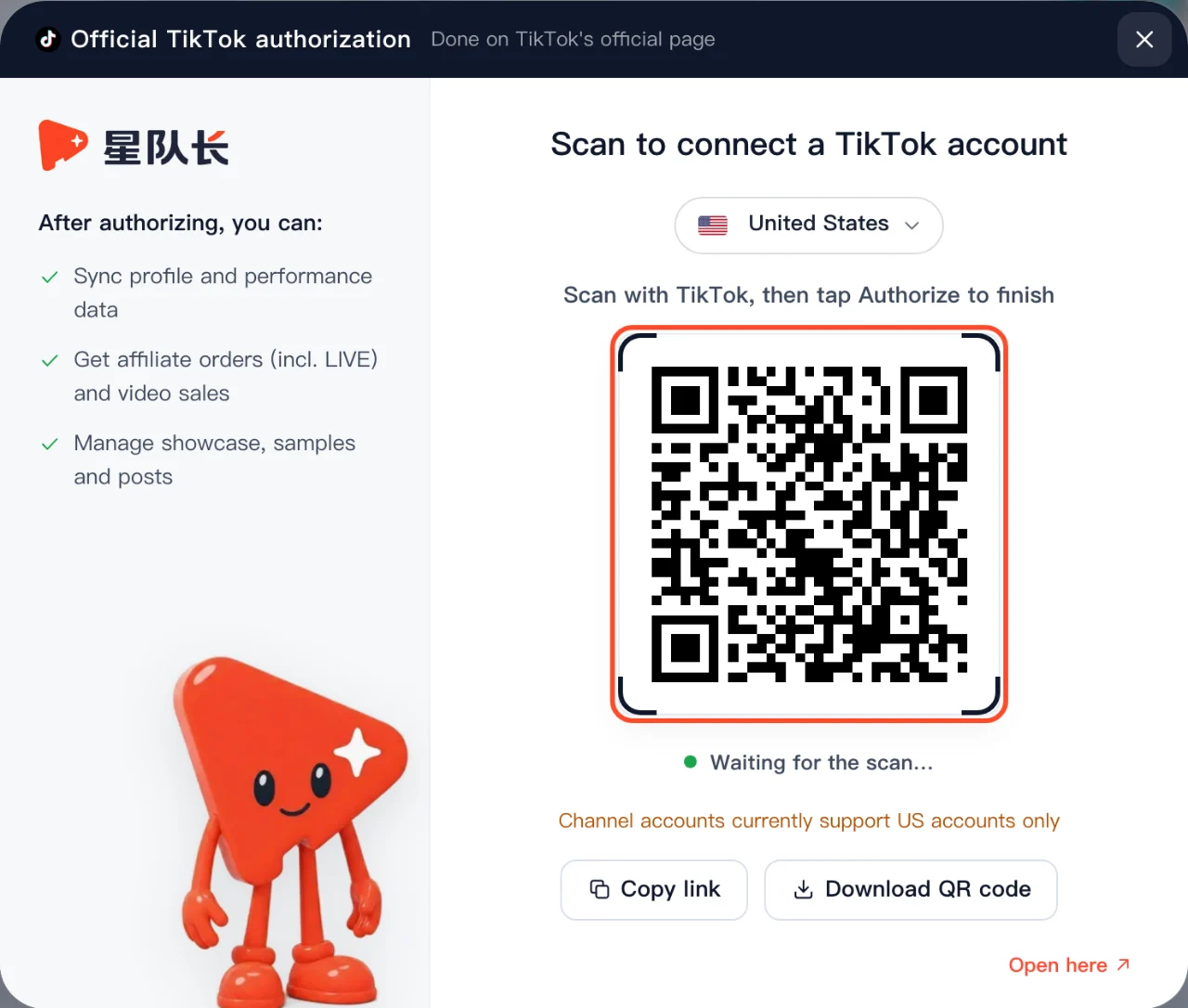
04Find the new account on "Accounts"
Once authorized, you'll see "Connected @handle (type)" and the new account appears in your "Accounts" list. Its card is labeled "Showcase account" or "Channel account", detected automatically from the account type TikTok returns.
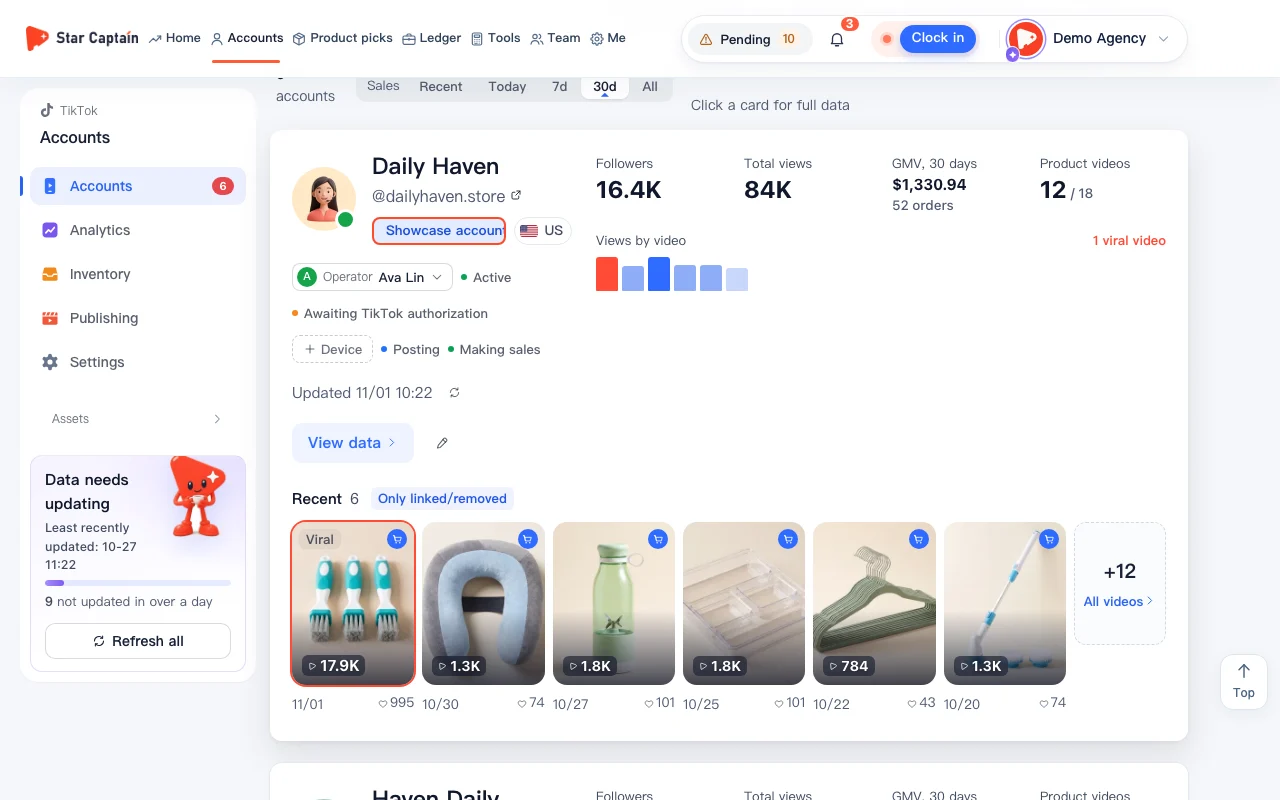
05Scan once more for channel accounts
For a "Channel account", follow the prompt on the card and scan once more with that account's TikTok to turn on sales sync.
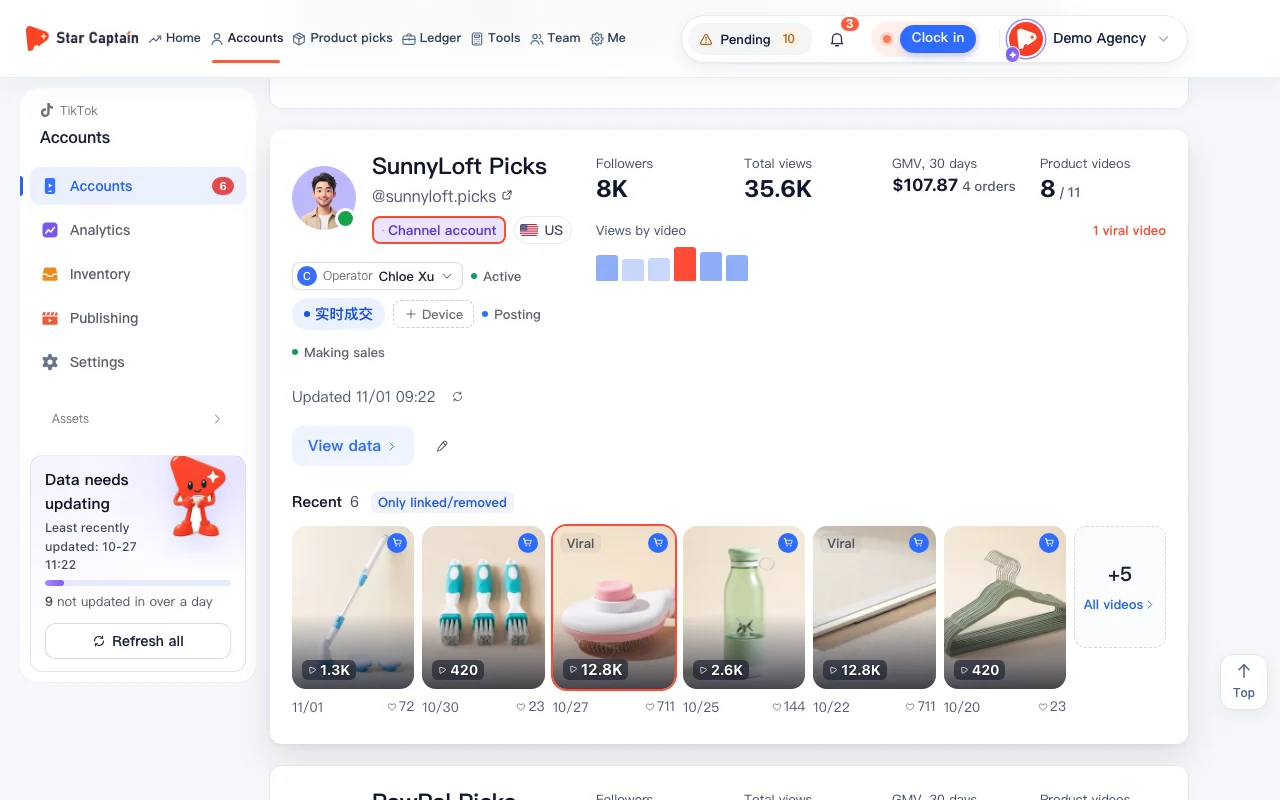
Screenshots use demo data. Check the product for what you actually see.
FAQ
Do I need to give my TikTok password when I bind a TikTok account?
No. Authorization is done on TikTok's official page: scan the code and tap "Authorize". Independent third-party workspace tools leave this step to TikTok's own page whenever you bind a TikTok account.
What can I do after connecting?
After you bind a TikTok account and finish authorizing, you can sync profile and performance data, get affiliate orders (including LIVE) and video sales, and manage your showcase, samples and posts. Views and posts refresh automatically every day at 9:00 Beijing time, and you can also refresh manually (how often depends on your plan). Orders and profit are counted in US Pacific Time (GMT-8), so the day rolls over at 16:00 Beijing time.
It says authorization wasn't completed. What now?
When you try to bind a TikTok account, this message usually means the "Authorize" step on TikTok's page wasn't finished, so just scan again. QR codes expire after a short window; click "Generate again" in the QR window and scan the new code with your phone.
It says "Account limit reached". What now?
You've reached your plan's account limit and cannot bind a TikTok account until capacity frees up. Add an add-on pack or upgrade to add more showcase or channel accounts.
My authorization expired. What do I do?
Authorization doesn't last forever. When it expires you'll see a notice in the workspace; repeat the steps above to bind a TikTok account again and scan to reauthorize without losing historical orders.