 TikTok accounts
 Orders & performance
 Team management
 Profit & cost
 Brand deals
 Creator toolbox
 Solo creators
 Creator teams
 Multi-department companies
Who is this for?
- Teams tracking work equipment, custody, business use and network subscriptions in one asset ledger
- Operators and admins who want an advance warning under "Due in 7 days" so a network line never expires mid-campaign
- Agency owners who want phone purchase prices, network monthly fees, and AI tool subscriptions amortized into operating costs automatically
What to prepare before starting?
- You are signed in to Star Captain with asset management permissions and have authorized your TikTok accounts
- You have your phone numbers/models, network notes and QR code screenshots, monthly fees, and next expiry dates ready
- If your team shares AI video or editing tools (such as Dreamina, Kling, or Hailuo), you have their names, costs, and expiry dates handy
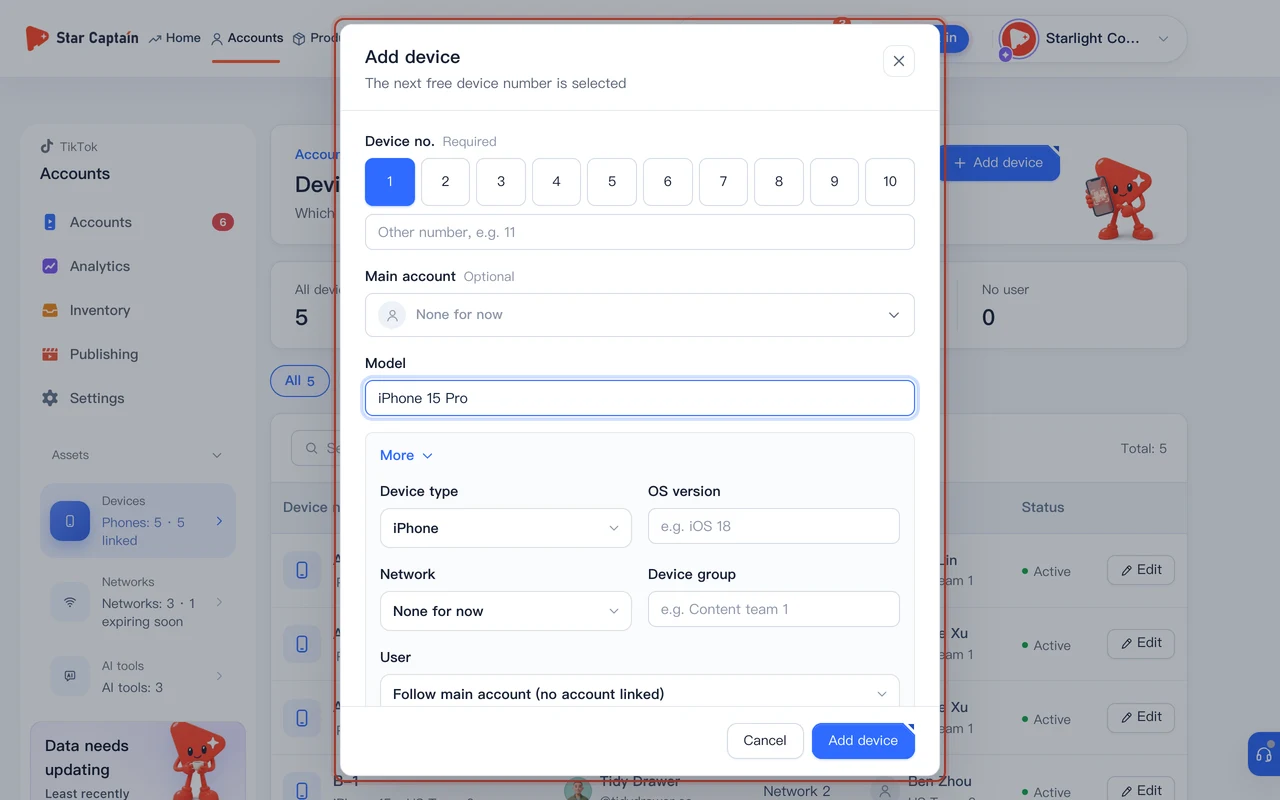
01Open "Accounts → Devices & networks" and add work phones under "Devices"
To register devices and networks, open "Accounts → Devices & networks" and click "Add device" on the "Devices" tab. The next available "Device no." is selected automatically. Record the business purpose, then expand "More" to check "Model" (such as iPhone 15), "Network", "User", "Device group" and "Purchase price (CNY)". Complete the required fields and save. Keep equipment use and custody under company rules rather than prescribing how many accounts a phone should run.
02Switch to "Networks" to add notes, QR codes, monthly fees, and expiry dates
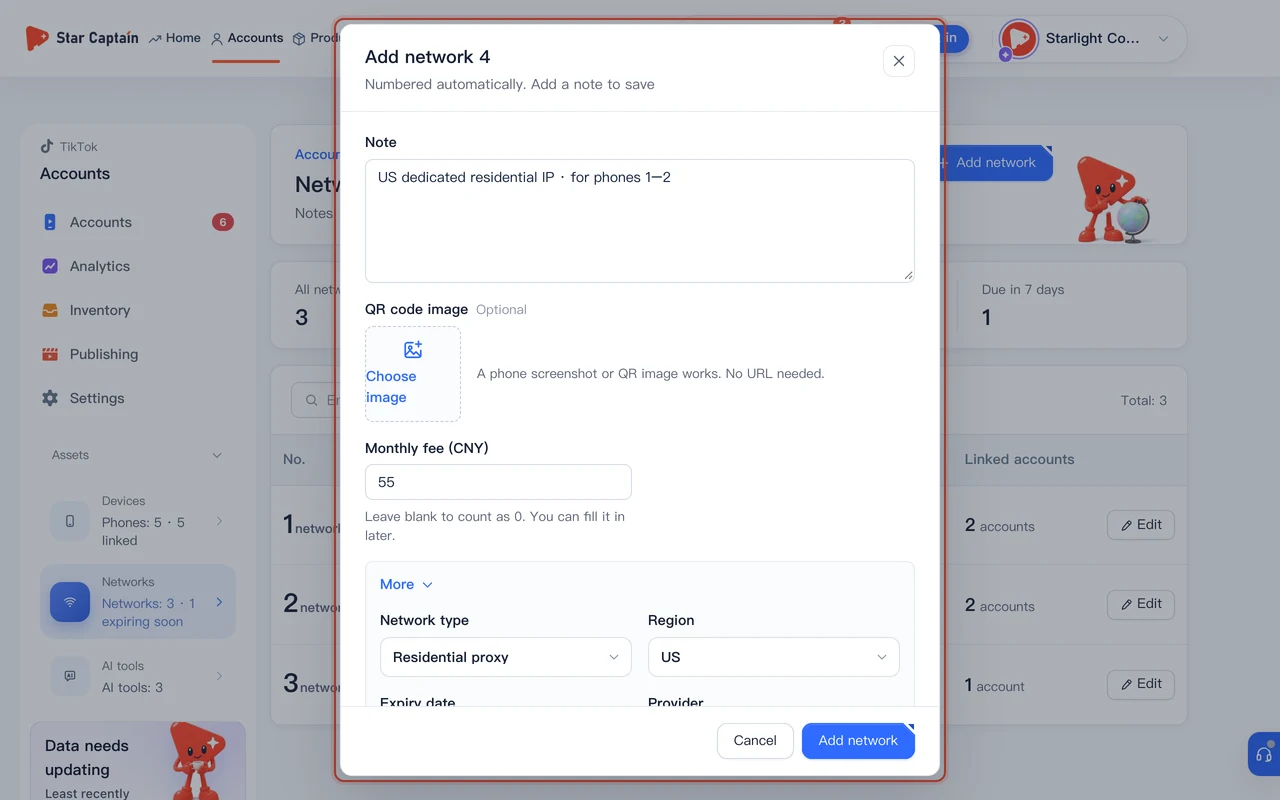
Switch to the "Networks" tab at the top and click "Add network". Network numbers (such as Network 1, Network 2) are assigned automatically. Fill in "Note" (for example, which phones use this IP and who renews it) and "Monthly fee (CNY)", then under "QR code image" click "Choose image" to upload a screenshot or QR image. Expand "More" to set "Network type" ("Residential proxy", "Home network", "Mobile data", or "Office network"), "Region" ("US", "UK", "Southeast Asia", "Mexico", "Brazil", etc.), and "Expiry date", plus optional "IP / node address" and "Connection key", then click "Save".
03Switch to "AI tools" to log shared AI subscriptions
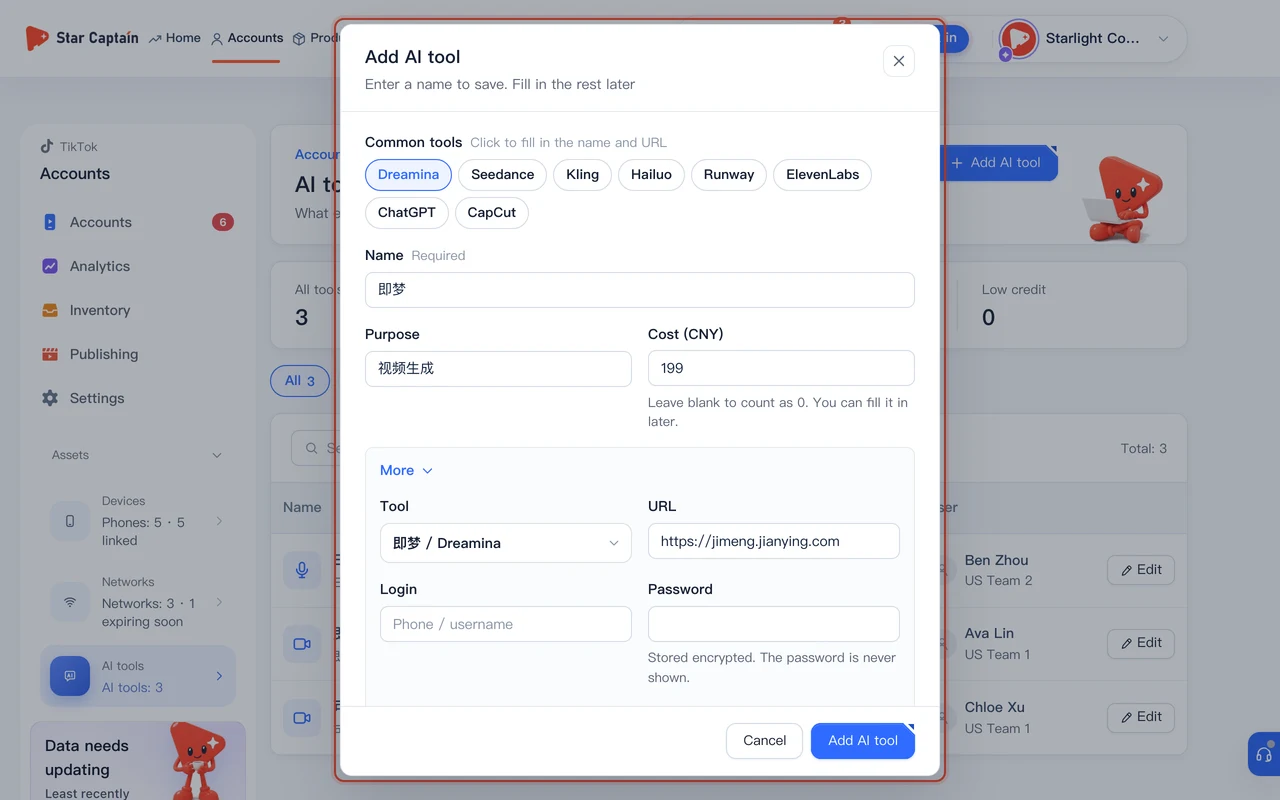
If your team uses paid AI video or editing tools, switch to the "AI tools" tab and click "Add AI tool". Click a preset under "Common tools" (such as "Dreamina", "Kling", or "Hailuo" to auto-fill the name and URL) or type a custom "Name", then fill in "Purpose" and "Cost (CNY)". Expand "More" to record "Login", "Password" (stored encrypted and never shown in plain text), "Credit left", and "Expiry date", then click "Save".
04Watch "Due in 7 days" and click "Record renewal" after renewing
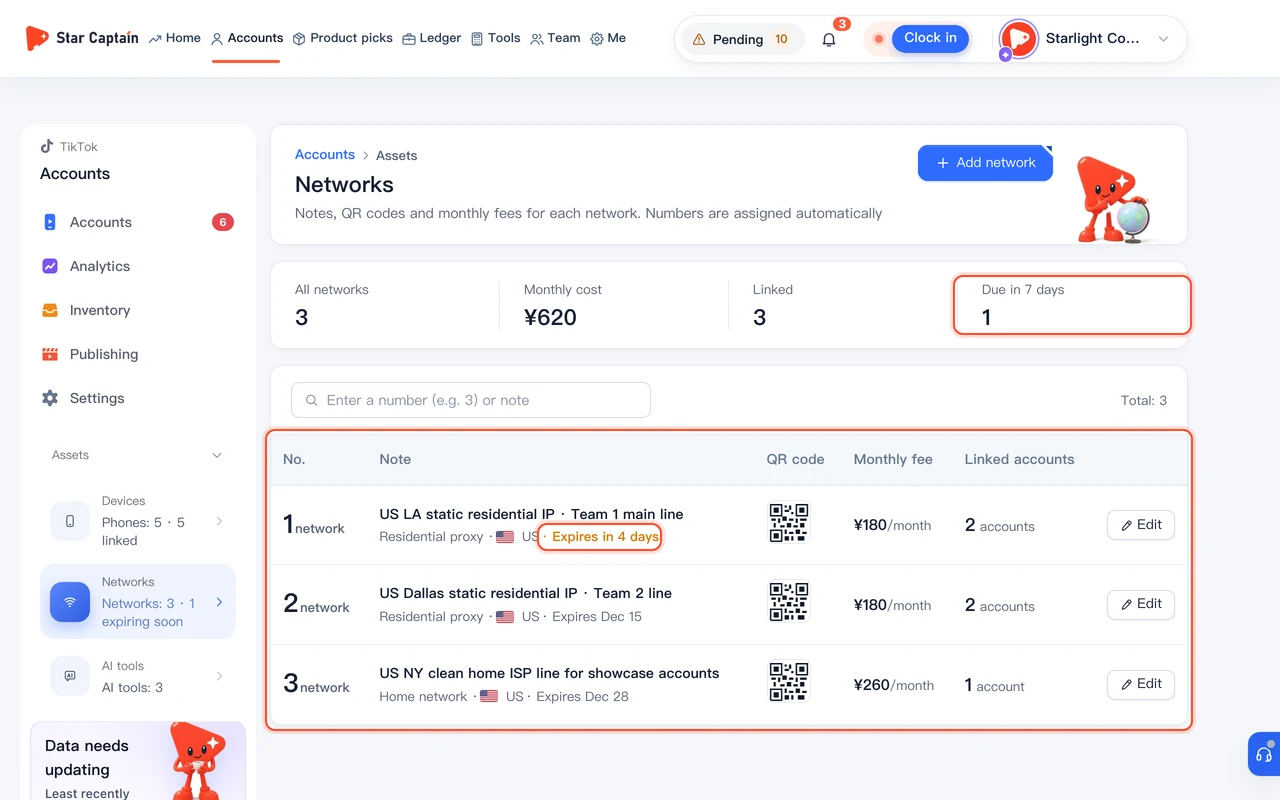
At the top of the "Networks" tab, four summary cards show "All networks", "Monthly cost", "Linked", and "Due in 7 days", while each row displays badges like "Expires in {n} days", "Expires today", or "Expired {n} days ago". Once you renew a line with your provider, click that network row to open its details, click "Record renewal", pick the "New expiry date", confirm the "Monthly fee (CNY)", and click "Save renewal".
05Check devices on each network and see costs sync into "Ledger → Expenses"
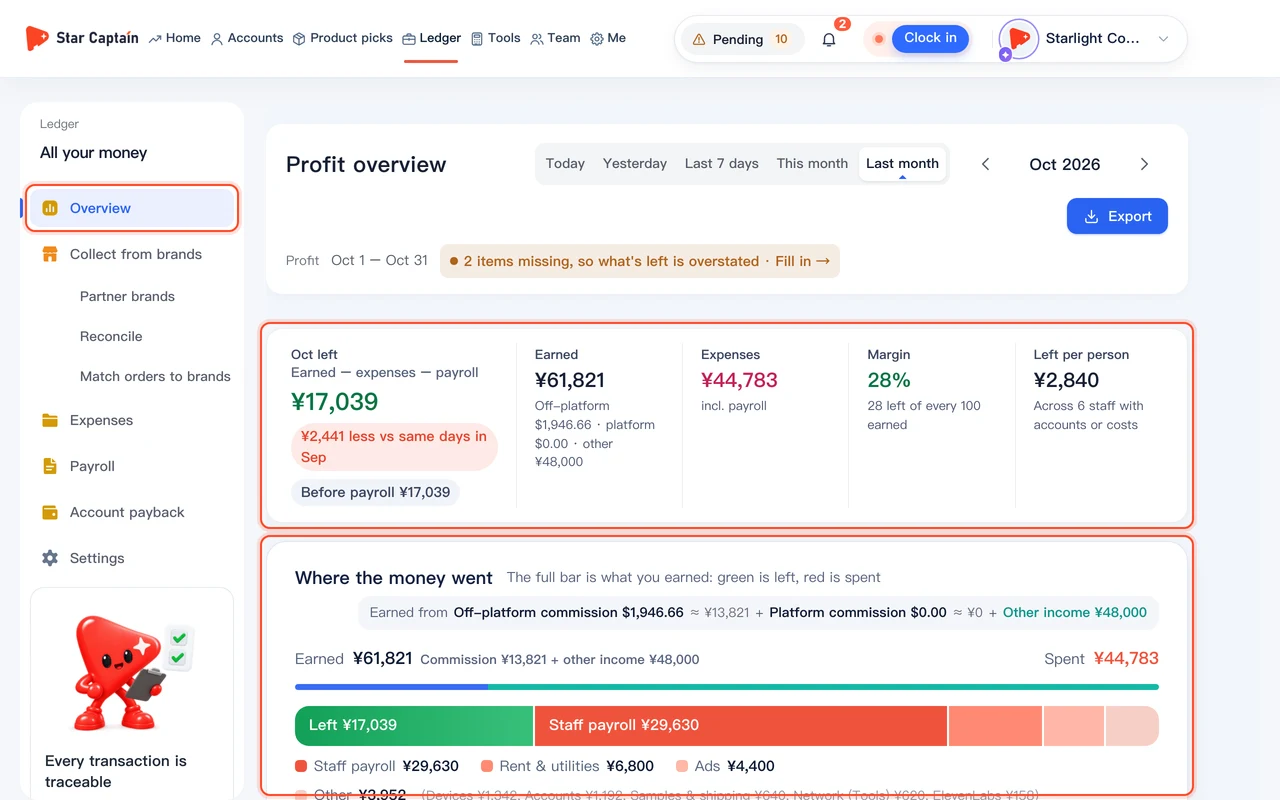
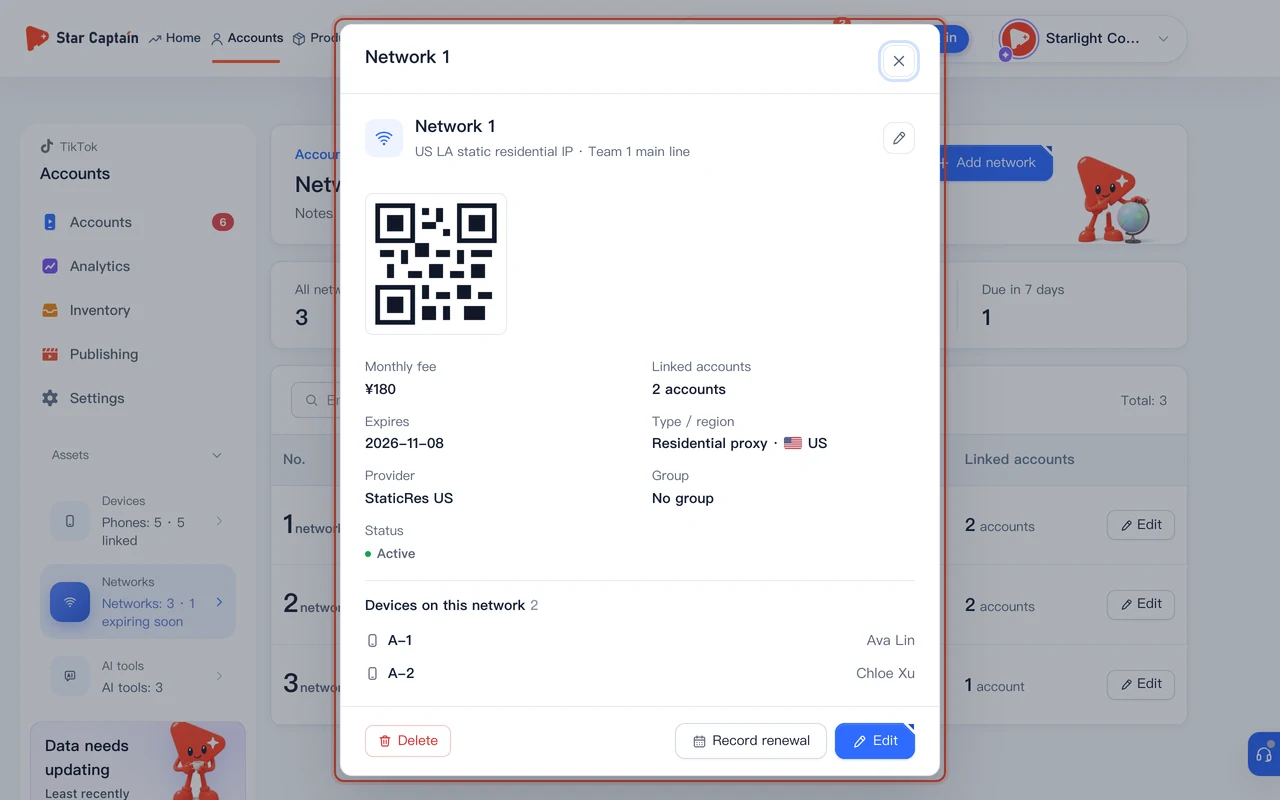
Click any network row to see all "Devices on this network", view the enlarged "Network QR code", or click "Copy connection key" when setting up a phone. Meanwhile, every "Recorded cost (CNY)", "Monthly fee (CNY)", and "Cost (CNY)" you save under Devices, Networks, and AI tools syncs automatically into "Ledger → Expenses" under "Synced", feeding straight into your daily and monthly profit calculations.
Screenshots use demo data. Check the product for what you actually see.
FAQ
Are network QR codes, connection keys, and AI tool passwords stored securely?
Yes. Passwords and connection keys are stored encrypted and are never displayed in plain text on the page. Network QR codes are only visible to team members whose role has access to the "Devices & networks" page.
Does clicking "Record renewal" charge my card or renew the network line automatically?
No. As noted in the modal ("Records the expiry date and monthly fee only. No payment or auto-renewal"), you complete the payment with your network provider first and then use "Record renewal" in Star Captain to update the expiry date and monthly fee.
How does Star Captain know how many TikTok accounts are linked to a network?
Whenever you link a phone to both a "Main account" and a "Network" under "Devices" (or pick a "Linked account" directly on the network), the system automatically counts and displays the linked accounts in the "Linked accounts" column.
If I delete a device or network record, will it delete the linked TikTok account?
No. Deleting a device or network only removes that asset record—your authorized TikTok account and its orders remain untouched, and the account simply stops showing that device or network link.