 TikTok accounts
 Orders & performance
 Team management
 Profit & cost
 Brand deals
 Creator toolbox
 Solo creators
 Creator teams
 Multi-department companies
Who is this for?
- Agency owners and operations directors who want a complete afternoon summary of orders, gross profit, editing output, and attendance
- Team leads running Monday weekly reviews to compare department performance, top sellers, top editors, and account source payback
- Managers who share daily results with partners or staff on WeChat while controlling whether profit and cost numbers are included
What to prepare before starting?
- You have organized departments and groups under "Team → Members" and set daily editing targets for your staff
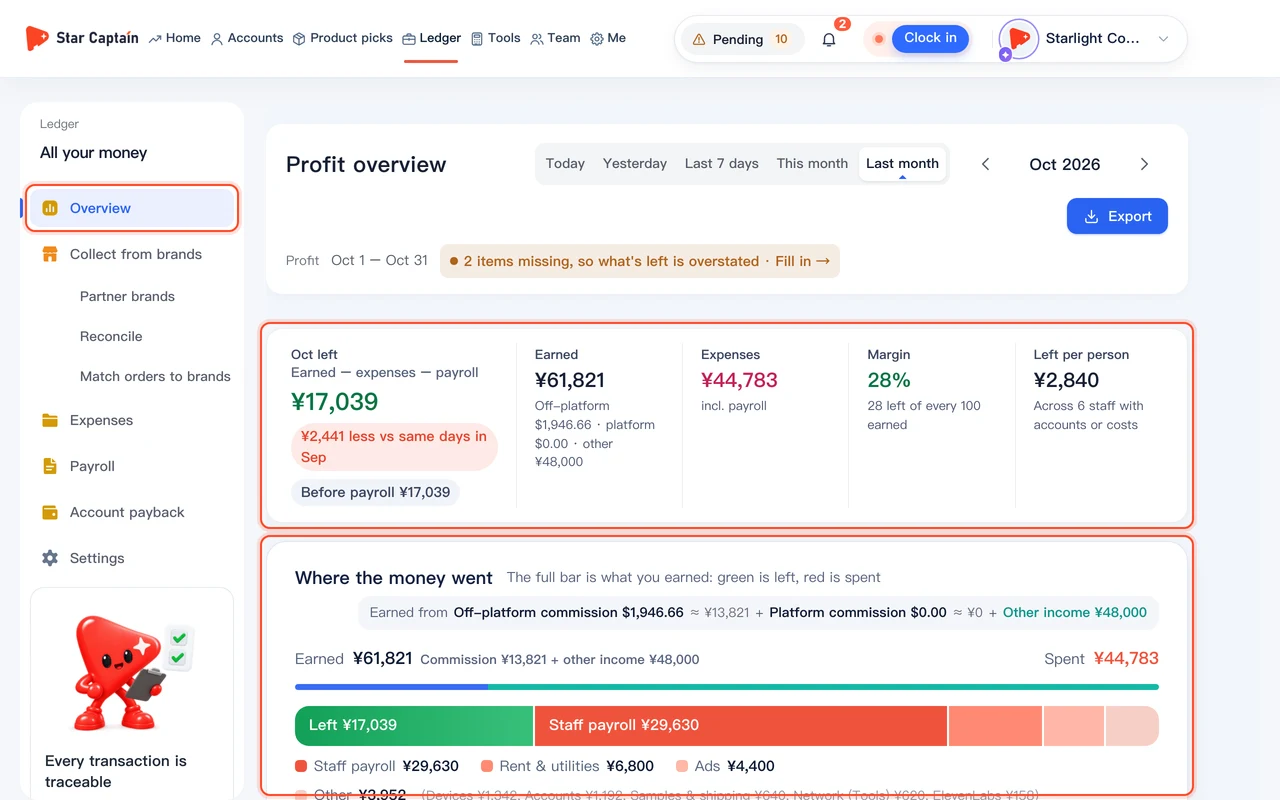
- For complete "Gross profit" figures, you have entered account setup prices, staff base pay, and monthly rent or ad expenses
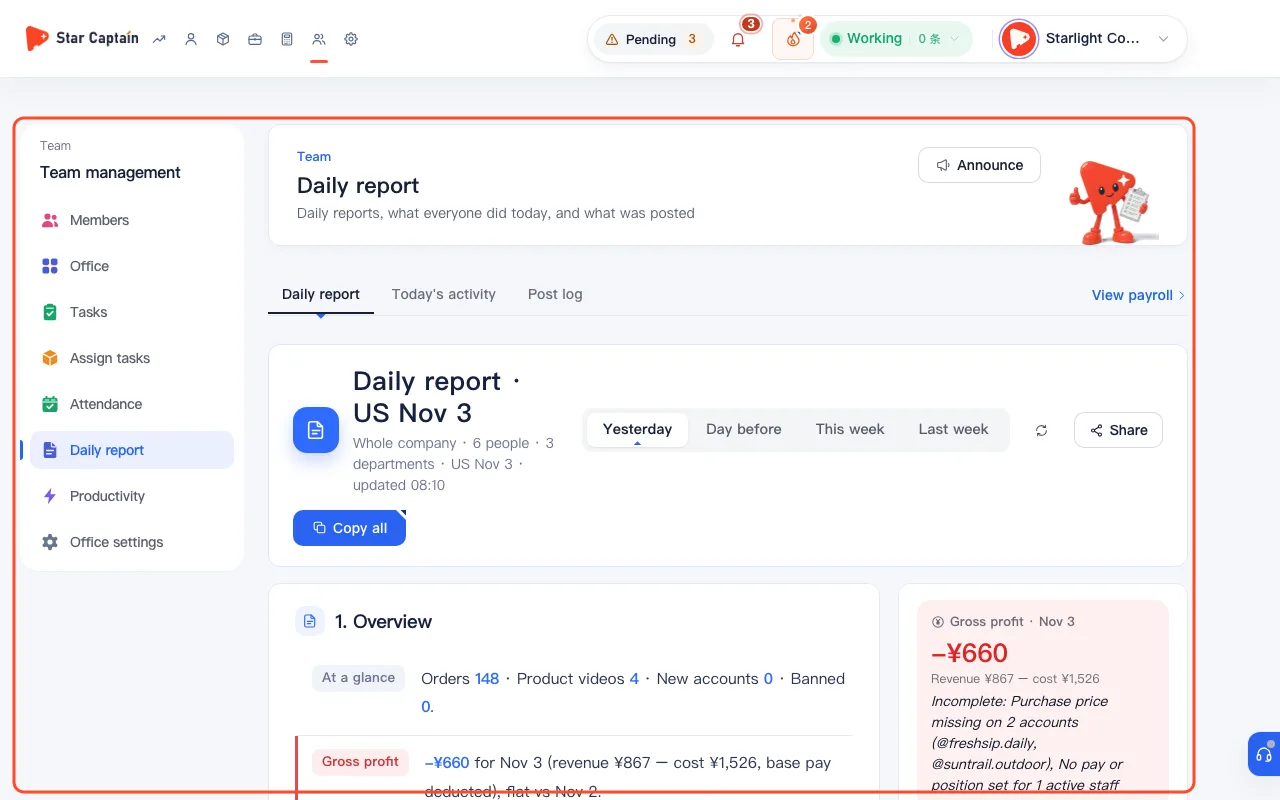
01Open "Team → Daily report" and choose the period and scope
To read and share team daily reports, go to "Team" and open the "Daily report" view. Use the top tabs to switch between "Yesterday", "Day before", "This week", and "Last week". Admins view "Whole company", while department leads automatically see "Your departments" ("no profit or cost"). Because US orders follow the US date (`GMT-8`), the complete prior-day report is published at 4:30 PM Beijing time every day.
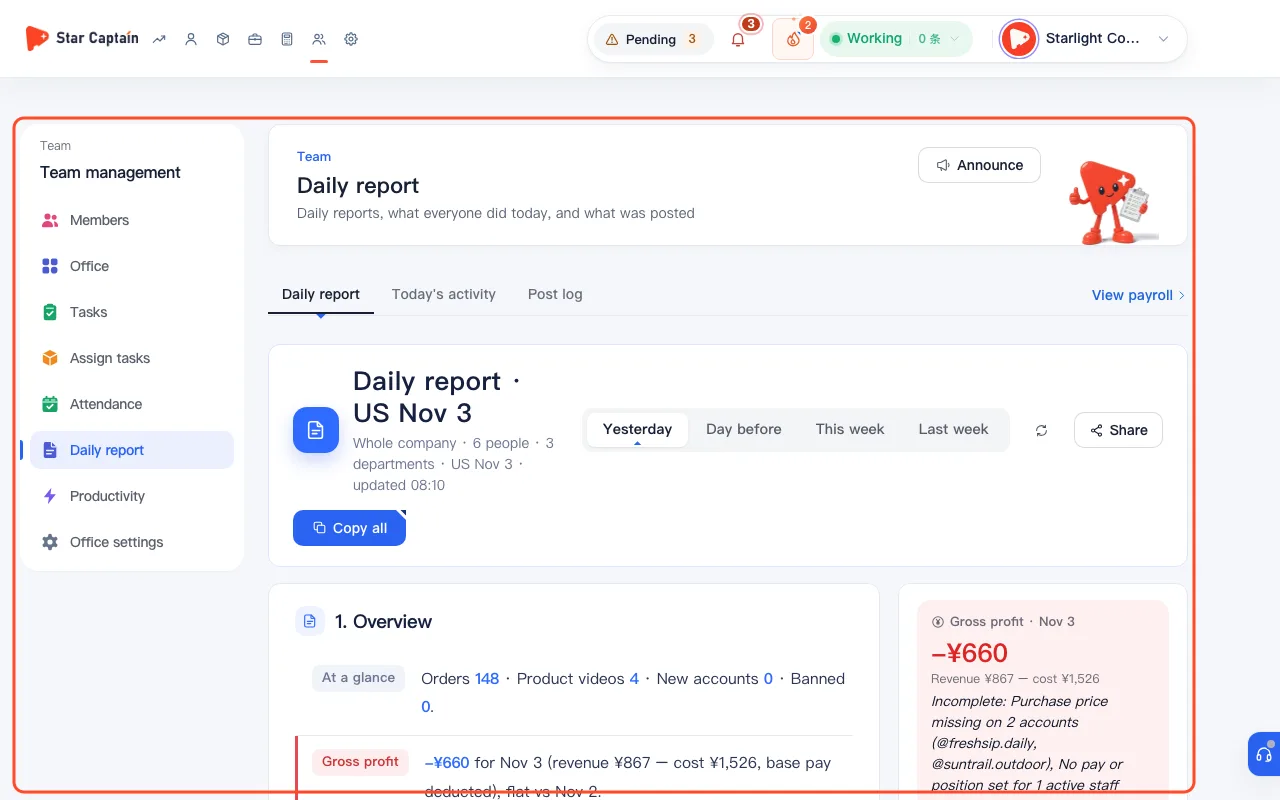
02Review "At a glance" and "Overview" for profit, orders, editing, and dropped links
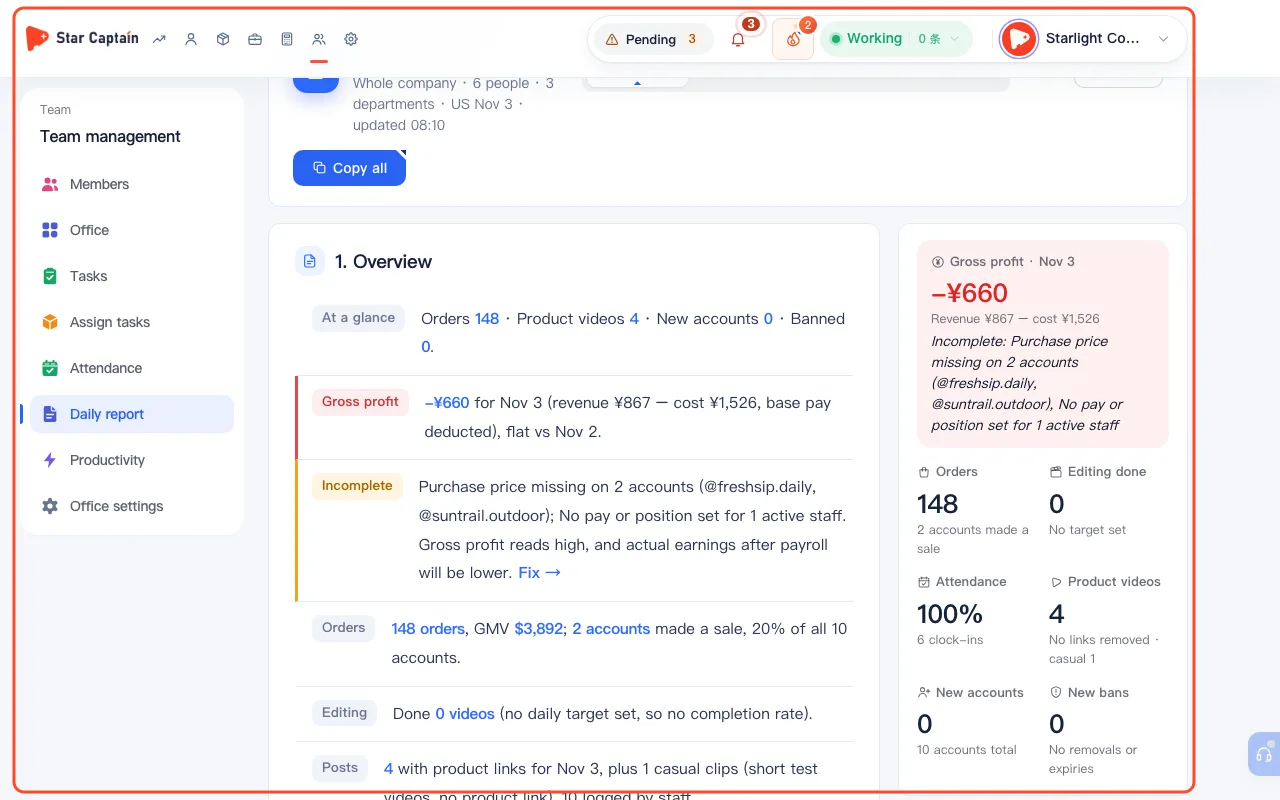
Start with the "At a glance" strip ("Orders", "Product videos", "Link removed", "New accounts", "Banned", "Repeated link removals", and "Authorization expired"). In "Overview", inspect "Gross profit" (showing `revenue − cost` and whether missing account prices or expenses make it "Incomplete", with a direct "Fix" link), "Orders", "Editing" completion rate, "Posts", "Link removed", "Attendance", "Accounts", "Trend", and "Sales spikes".
03Check "Highlights" and "Account sources" to compare source ROI
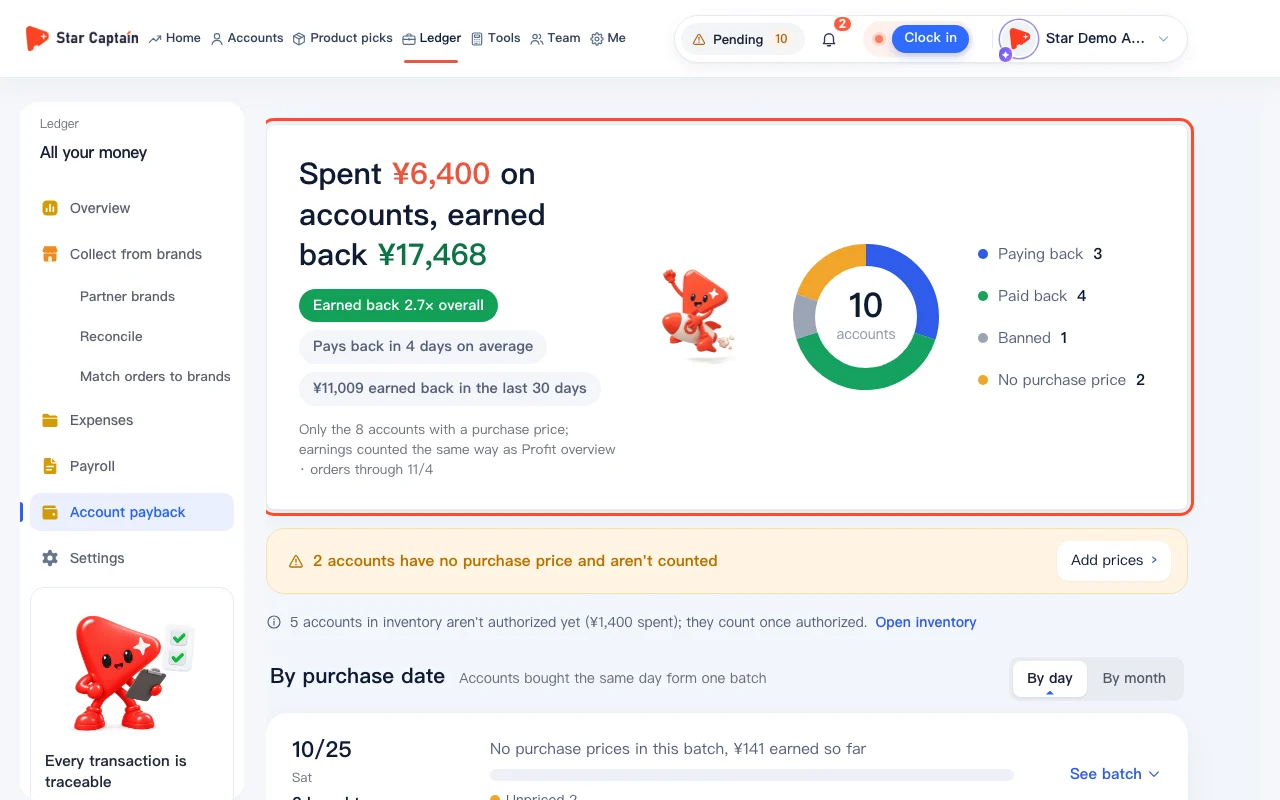
Scroll to "Highlights" to see "Top department", "Top sellers", "Top editors", "Top accounts", and "Top source". In the "Account sources" section, Star Captain groups your accounts by account source—showing total spend, average cost per account, orders since onboarding, amount earned back, payback percentage (`best payback` vs. `worst payback`), and ban rate.
04Inspect "Departments", "Staff details", and "Needs attention"
Under "Departments", review each department's status ("Great", "OK", or "Watch") and the exact reason when flagged (such as low editing completion or accounts with zero sales). Under "Staff details", check each member's clock-in times, edited video count, dropped links, and orders per account. At the bottom, use "Needs attention" to act on newly banned accounts, repeated link removals, expired authorizations, missed punches, and pending requests.
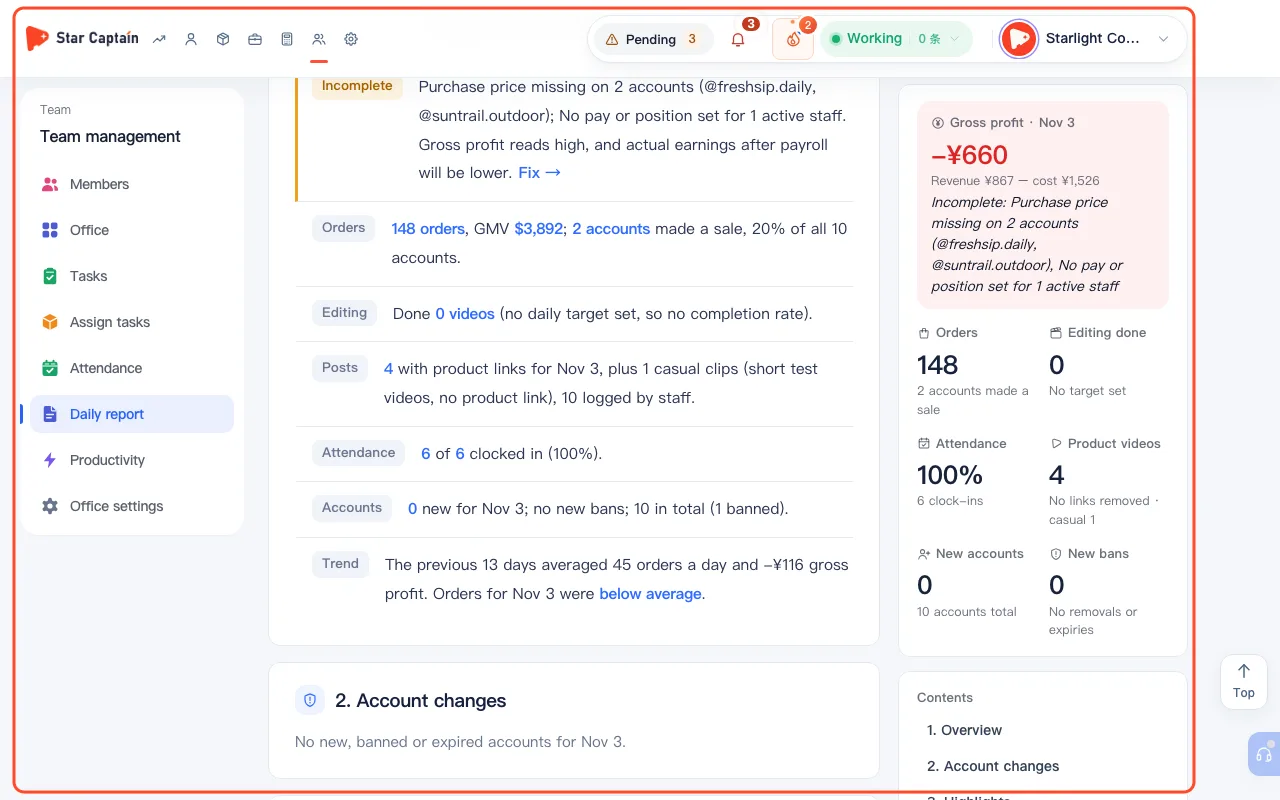
05Click "Copy all" or "Share" to generate a 30-day view-only link
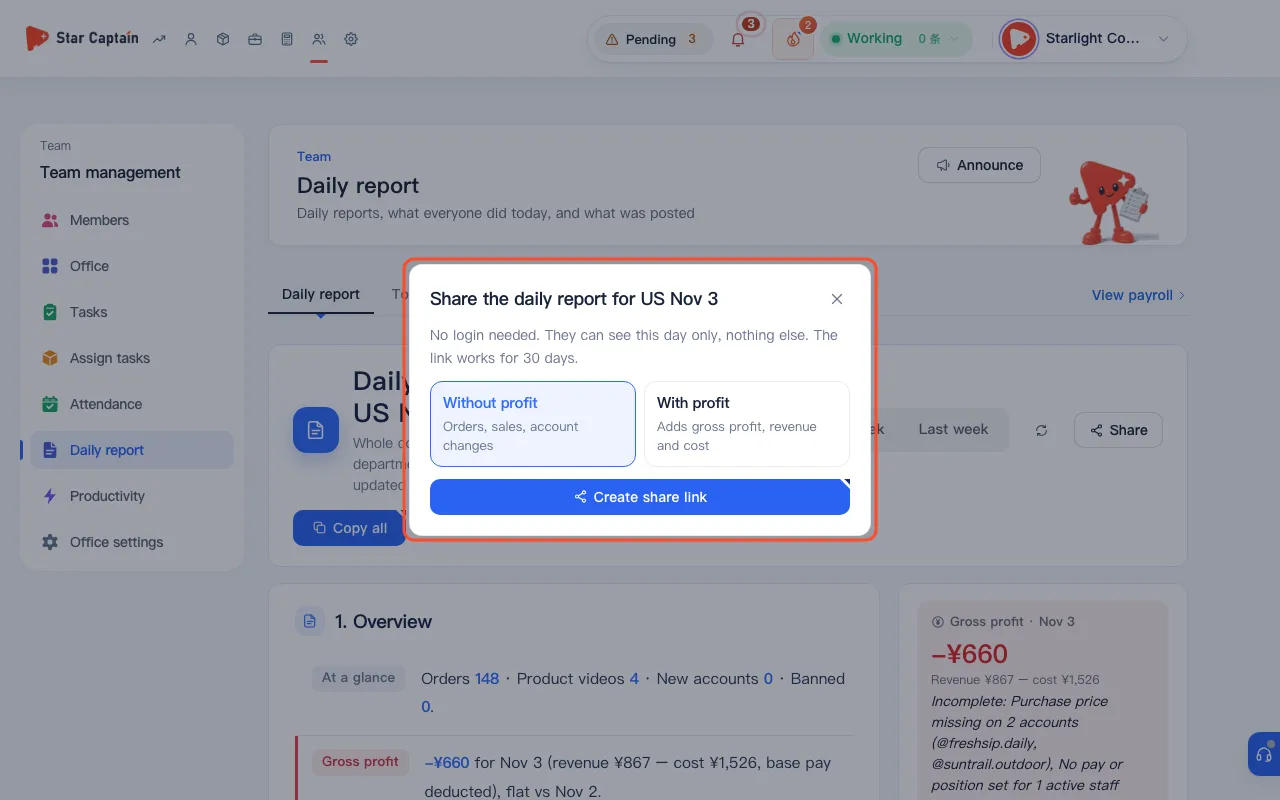
Click "Copy all" at the top right to copy the entire report as clean plain text for your team chat, or click "Share" to open "Share the daily report for {day}". Under "What to share", select either "Without profit" ("Orders, sales, account changes") or "With profit" ("Adds gross profit, revenue and cost"), then click "Create share link" to copy the URL or scan the "QR code for the shared daily report" (viewable without login for 30 days).
Screenshots use demo data. Check the product for what you actually see.
FAQ
Why does the report say "the US day isn't over; the full report comes out at 4:30 PM Beijing time"?
Orders and gross profit are counted by US date (`GMT-8`, where the day ends at 16:00 Beijing time). Star Captain compiles the complete prior-day report at 4:30 PM Beijing time; before that cutoff, US order and profit numbers may still rise, while Beijing-time editing, posting, and attendance counts are already final.
What does "Incomplete" next to "Gross profit" mean?
If some accounts are missing a recorded cost or onboarding date, active staff have no pay configured, or monthly rent and ad spend haven't been logged yet, the report flags "Incomplete: ..." and warns that gross profit reads high. Click "Fix" to fill in the missing records.
How does a department lead's report differ from the owner's report?
Owners see the "Whole company" report including gross profit, revenue, cost, and account source payback. Department leads see only "Your departments", and company-wide profit and cost figures are automatically excluded.
Can someone with a shared report link browse other days or workspace pages?
No. "No login needed. They can see this day only, nothing else. The link works for 30 days." If you select "Without profit" when creating the link, profit and cost lines are completely omitted from the shared page.