 TikTok accounts
 Orders & performance
 Team management
 Profit & cost
 Brand deals
 Creator toolbox
 Solo creators
 Creator teams
 Multi-department companies
Who is this for?
- Agency owners who want to read the money ledger overview in 1 minute to see how much the team earned this month, how much partner brands still owe, and how much net profit is left after expenses and payroll
- Finance leads and operations managers tracking overdue brand statements, unconfirmed monthly payroll, and unpriced TikTok accounts
- Team leads who want a single dashboard connecting "Collect from brands", "Expenses", "Payroll", and "Account payback"
What to prepare before starting?
- Your role has access to "Collect from brands" or "Ledger" (members with access to only one side will see only that side's bar and card; payroll totals are visible to the agency owner only)
- Partner brands have been linked under "Collect from brands" or account setup prices and monthly expenses have been entered under "Accounts" and "Ledger"
01Open "Ledger" → "Overview" to read the money ledger overview and clear "To do" pills
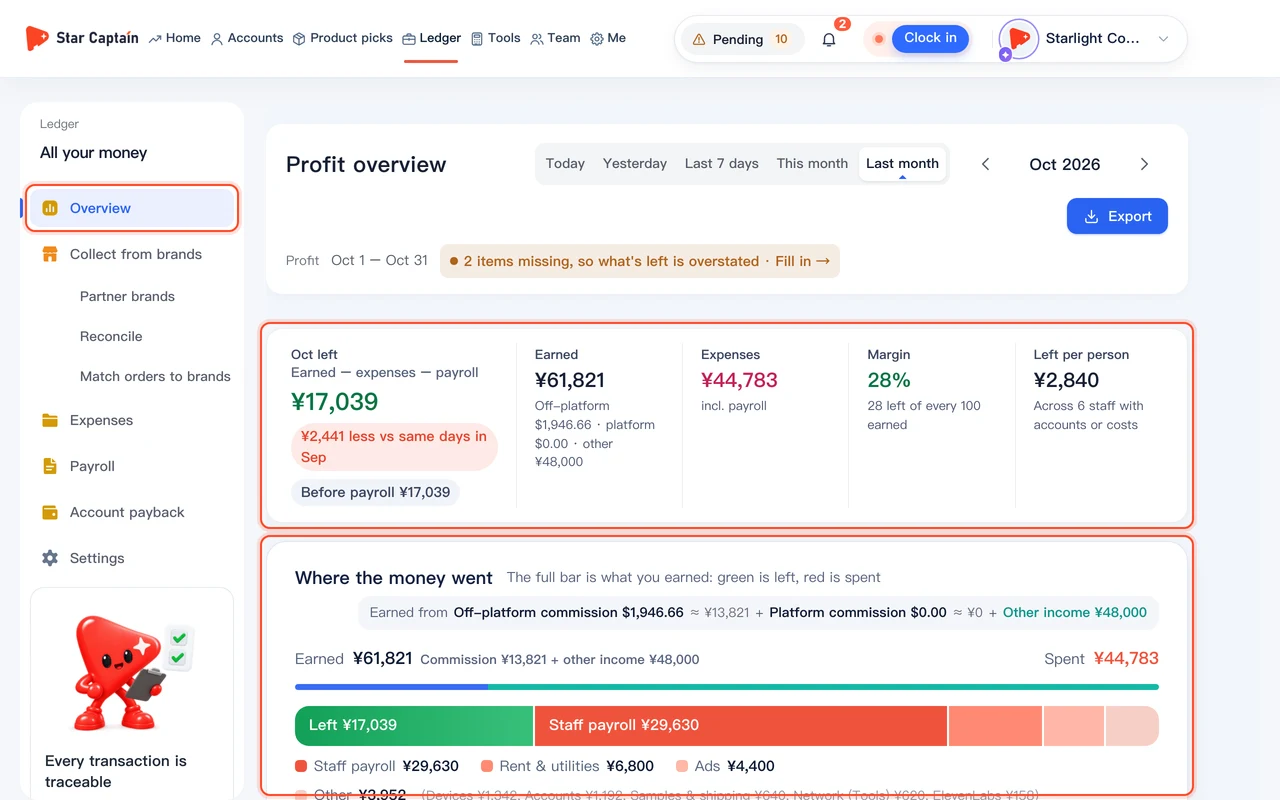
To read the money ledger overview, click "Ledger" in the top main navigation and open "Overview" (`/app/money`) in the left sidebar. The page header displays `{month} ledger` (such as `Nov ledger`) with the top-right toggle to switch between "This month" and "Last month". Whenever action items need attention, a row of "To do" pills appears at the top—such as `{count} statements to reconcile · Reconcile`, `{amount} overdue · Record`, `{count} accounts without a recorded cost · Fill in`, or `{month} payroll not paid · Pay`. Click any pill to jump straight to that task.
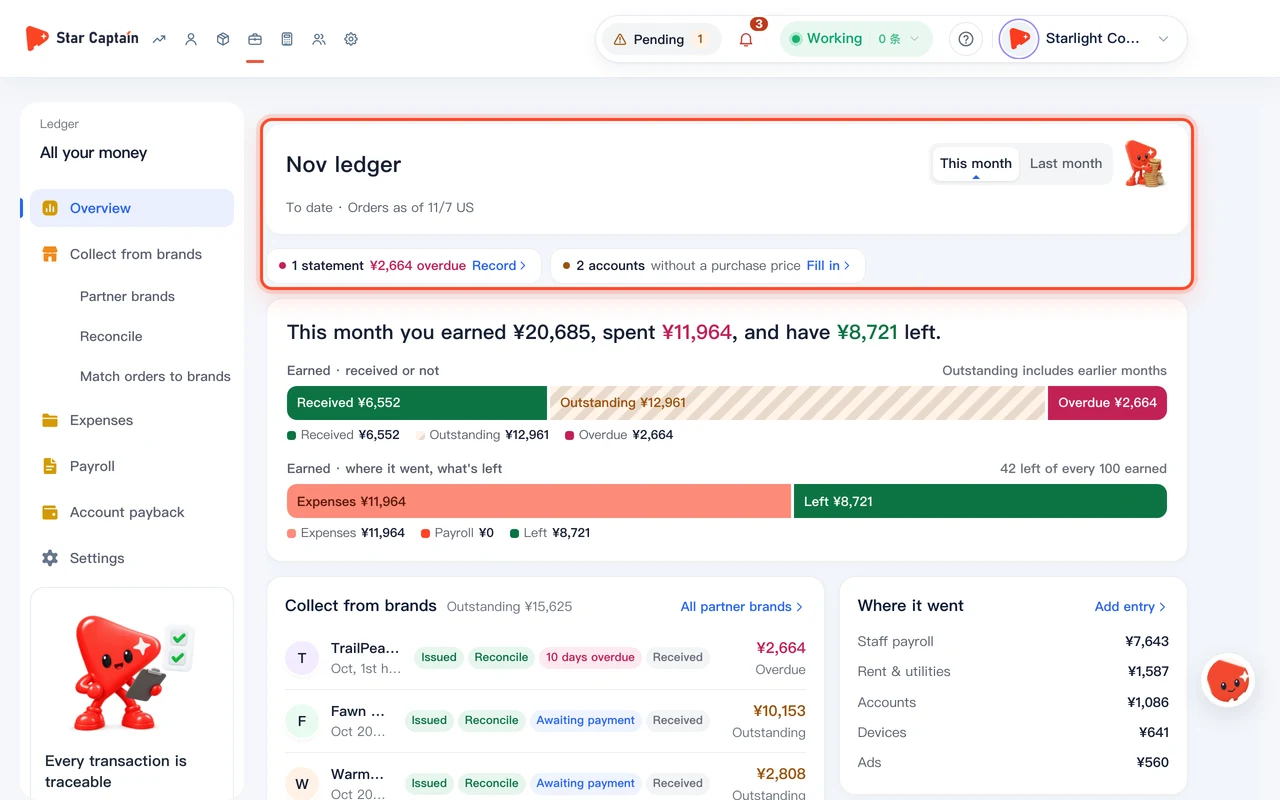
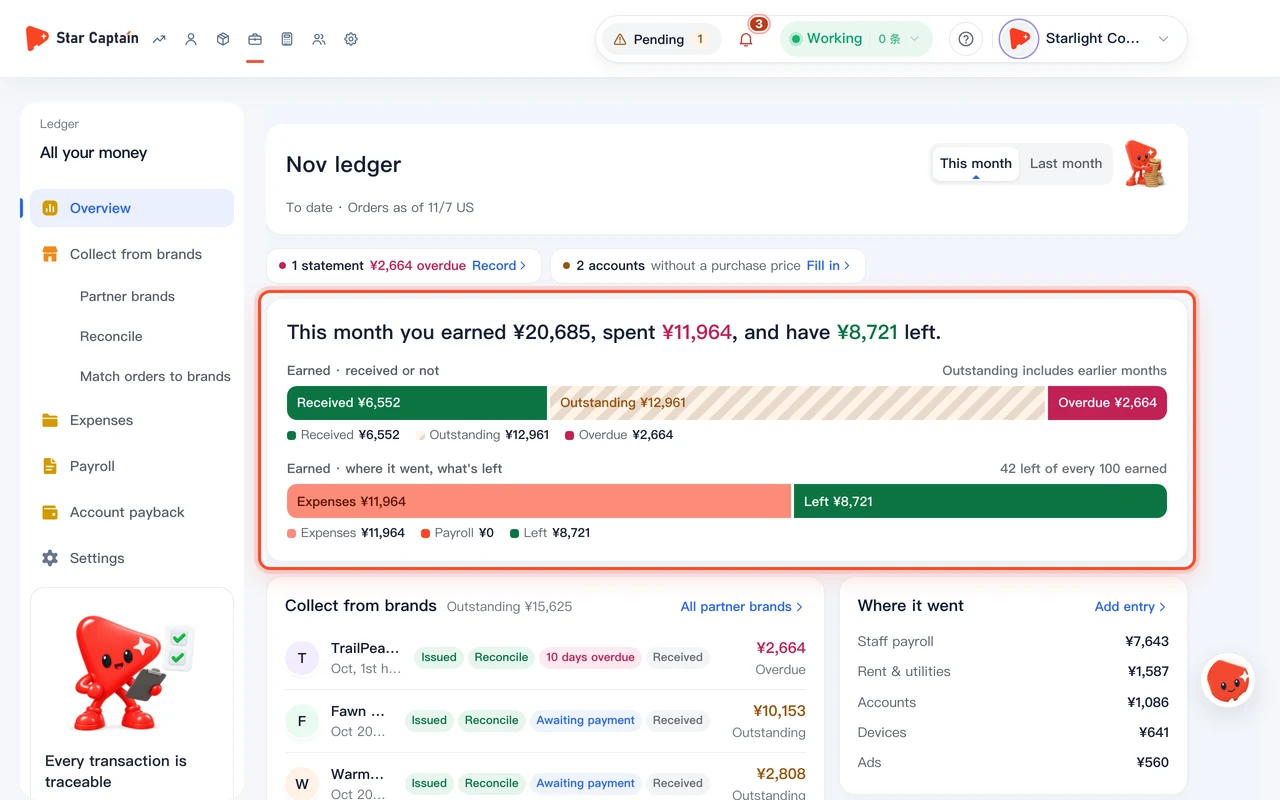
02Read the one-line headline and the "Earned · received or not" and "Where it went" bars
At the top of the hero card in the money ledger overview, read the one-line summary: `This month you earned ¥X, spent ¥Y, and have ¥Z left.` Below it are two proportional bars: the first bar, "Earned · received or not" ("Outstanding includes earlier months"), splits collections into "Received", "Outstanding", and "Overdue"; the second bar, "Earned · where it went, what's left" (with `{n} left of every 100 earned`), splits earnings into "Expenses", "Payroll", and "Left".
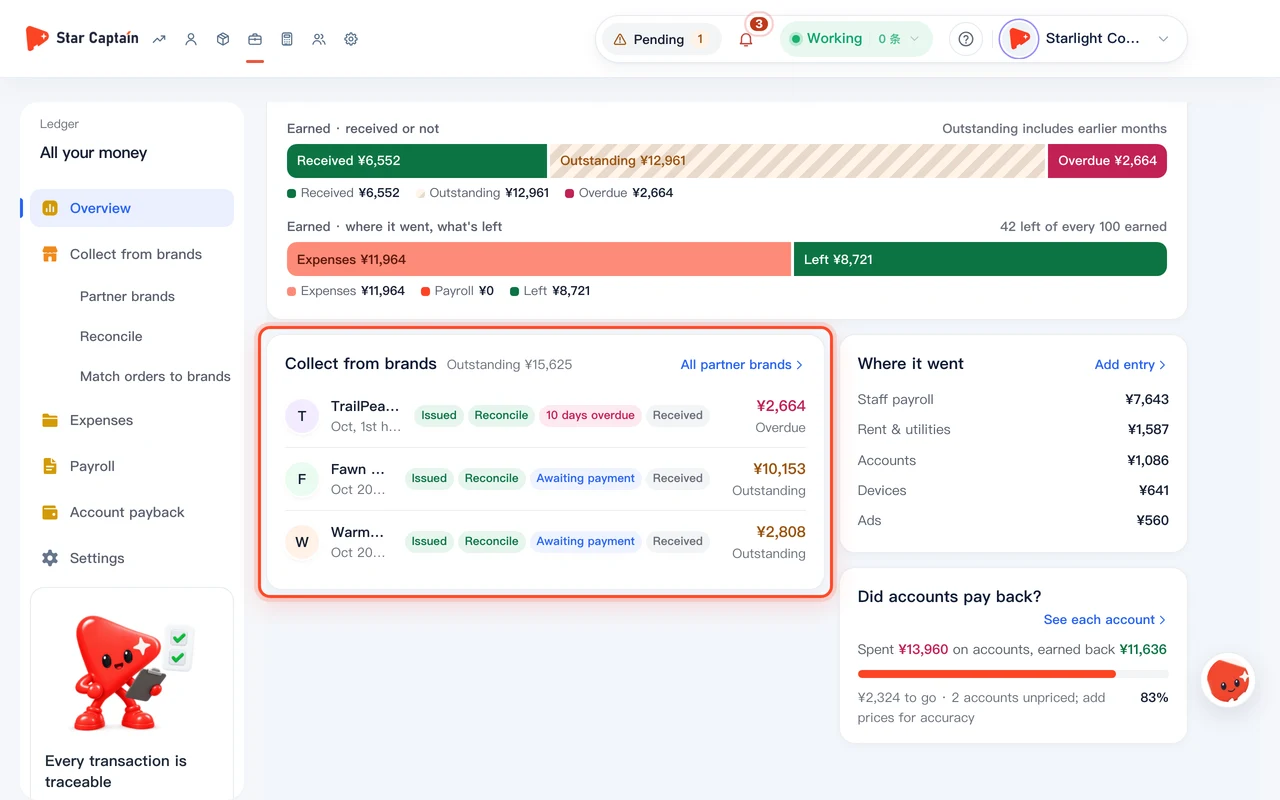
03Check each brand's 4-stage billing status in "Collect from brands"
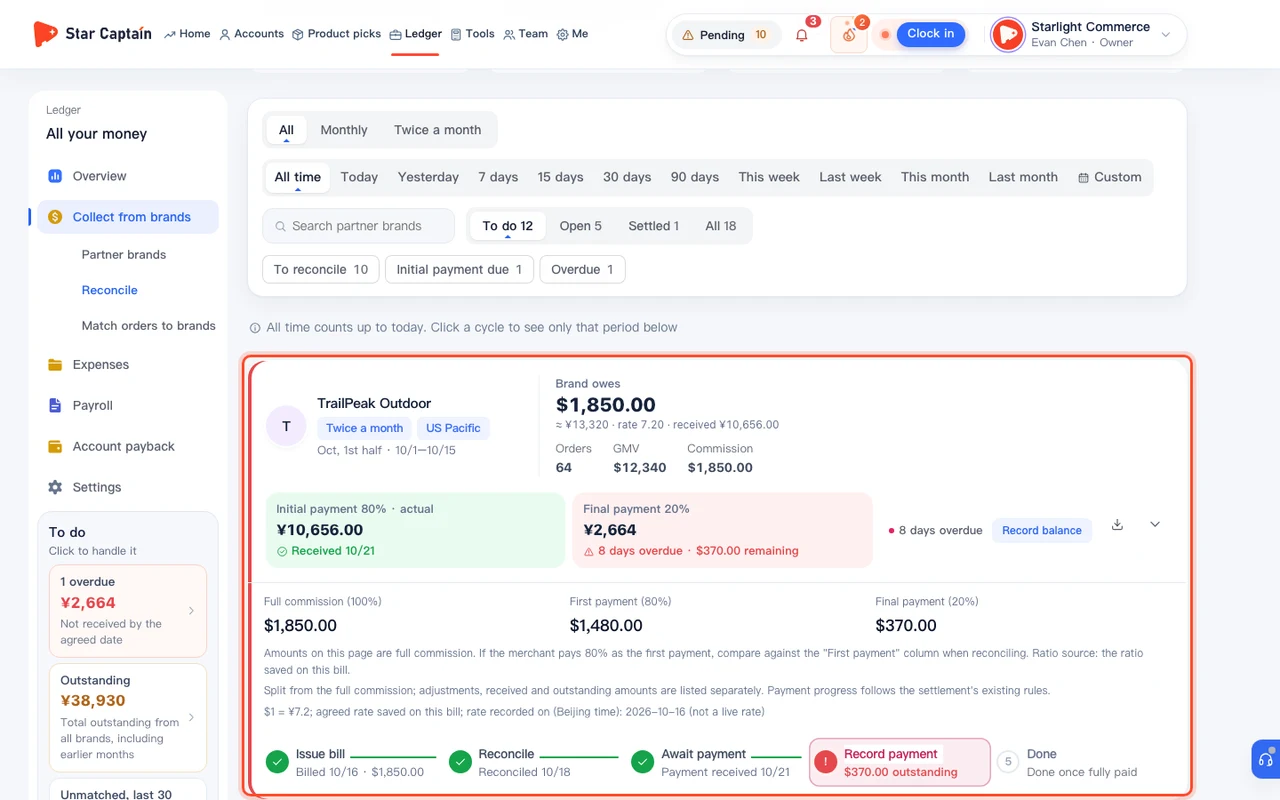
In the bottom-left "Collect from brands" card, review partner brands with unpaid balances (overdue statements are sorted to the top). Each row shows the brand name, billing period, settlement cycle, the 4-stage progress pills (`Issued → Reconcile → Awaiting payment → Received`, or `{days} days overdue` in red), and the remaining amount owed. Click any row to open "Collect from brands" → "Reconcile" and reconcile or record a payment.
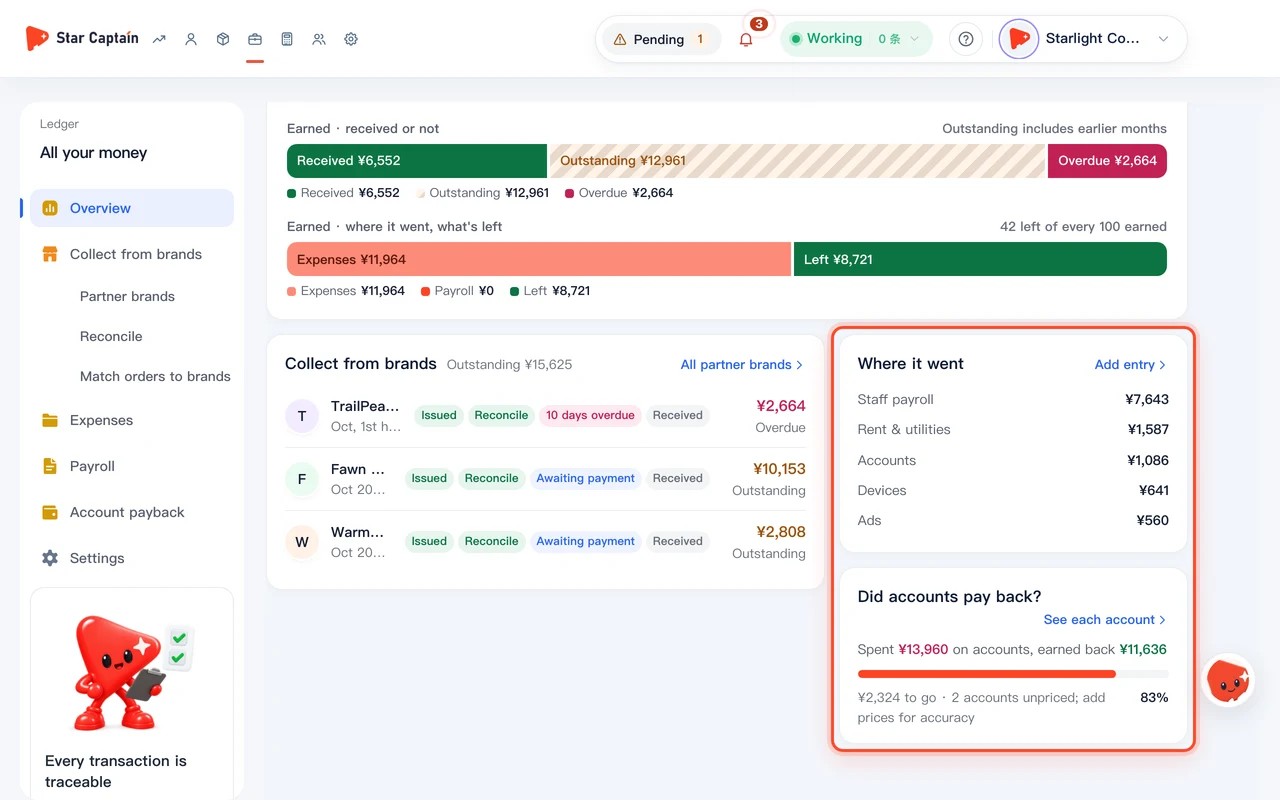
04Inspect cost categories in "Where it went" and overall ROI in "Did accounts pay back?"
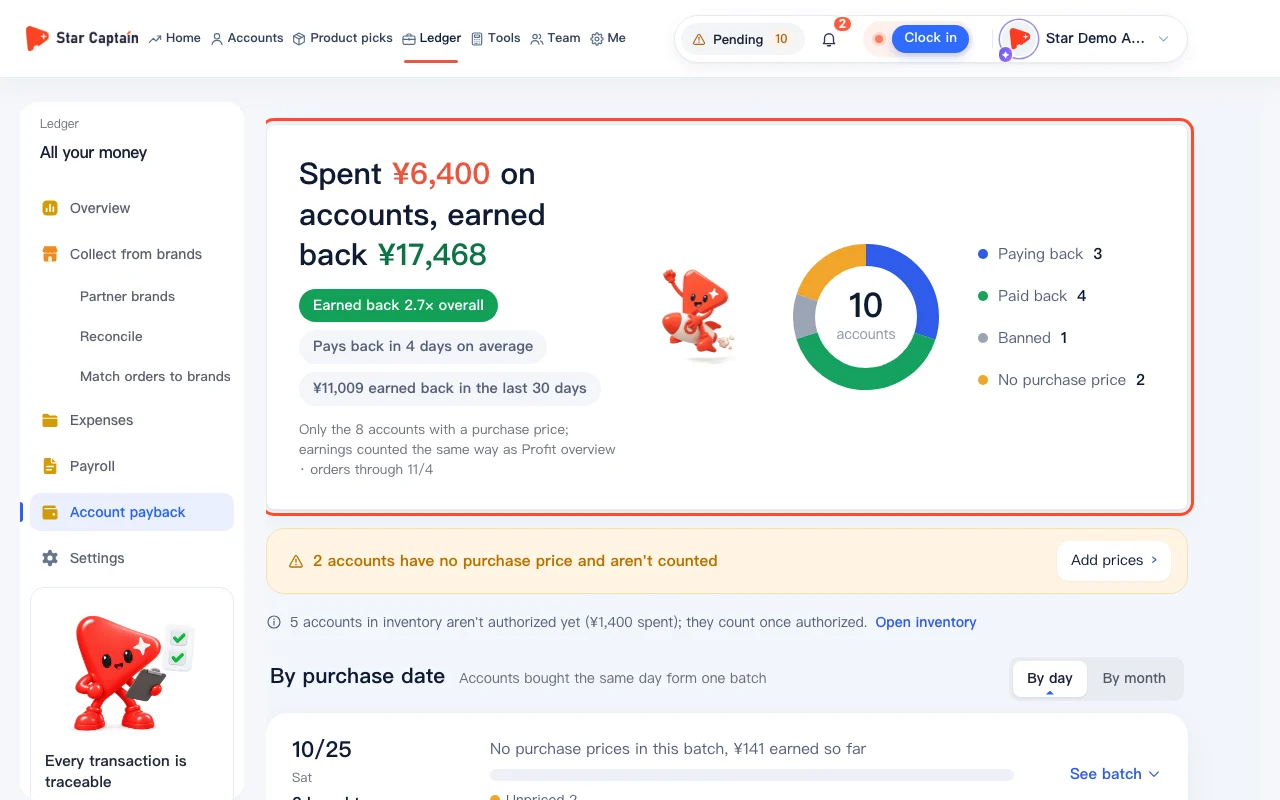
In the bottom-right "Where it went" card, check monthly "Staff payroll" and the top 5 expense categories, or click "Add entry" to log rent, ad spend, or sample shipping. Below it, the "Did accounts pay back?" card summarizes `Spent {cost} on accounts, earned back {earned}` with an overall payback percentage bar and remaining balance or unpriced reminder (`{amount} to go · {count} accounts unpriced; add prices for accuracy` or `Paid back`); click "See each account" at the top right to open `/app/profit/payback` and inspect the 4 payback status tiers and per-account ROI.
Screenshots use demo data. Check the product for what you actually see.
FAQ
Why is "Outstanding" in the money ledger overview sometimes larger than this month's earnings?
In the money ledger overview, "Outstanding" shows all unpaid partner brand balances across all periods ("Outstanding includes earlier months"), so unpaid final installments from earlier months remain visible until collected.
Why does a note under the second bar say "Payroll is visible to the owner only, so it isn't deducted here"?
Staff payroll is restricted to the agency owner. When finance leads or team managers view `/app/money`, the second bar deducts operating "Expenses" only and notes that payroll is excluded from their view.
Why does "Did accounts pay back?" say " · {count} accounts unpriced; add prices for accuracy"?
Only accounts with a recorded recorded cost are included in the payback denominator. Click the top `without a recorded cost · Fill in` pill or "See each account" to backfill missing recorded costs.
What are the four types of "To do" pills at the top of the money ledger overview and where do they link?
Whenever items need action, the top of `/app/money` shows up to four pill shortcuts: `{count} statements to reconcile · Reconcile` (jumps to "Collect from brands" → "Reconcile"), `{count} overdue · Record` (jumps to overdue statements to record payment), `{count} accounts without a recorded cost · Fill in` (jumps to "Account payback" to enter recorded costs), and `{month} payroll not paid · Pay` (jumps to "Payroll" to confirm and mark payroll paid).