 TikTok accounts
 Orders & performance
 Team management
 Profit & cost
 Brand deals
 Creator toolbox
 Solo creators
 Creator teams
 Multi-department companies
Who is this for?
- Video editors and operators who record how many videos went out on each account and product each day without double-counting task progress
- Team leads and supervisors who verify yesterday's actual posting volume and spot accounts that fell short without checking every TikTok profile by hand
- Agency owners who want posting volume and sales results ("Orders", "Profit / loss", "ROI", and "Commission") side by side in weekly reviews
What to prepare before starting?
- You have connected your TikTok accounts on the "Accounts" page and assigned them to staff members under "Team → Members"
- If staff will log against assigned products, you have created product tasks under "Team → Assign tasks"
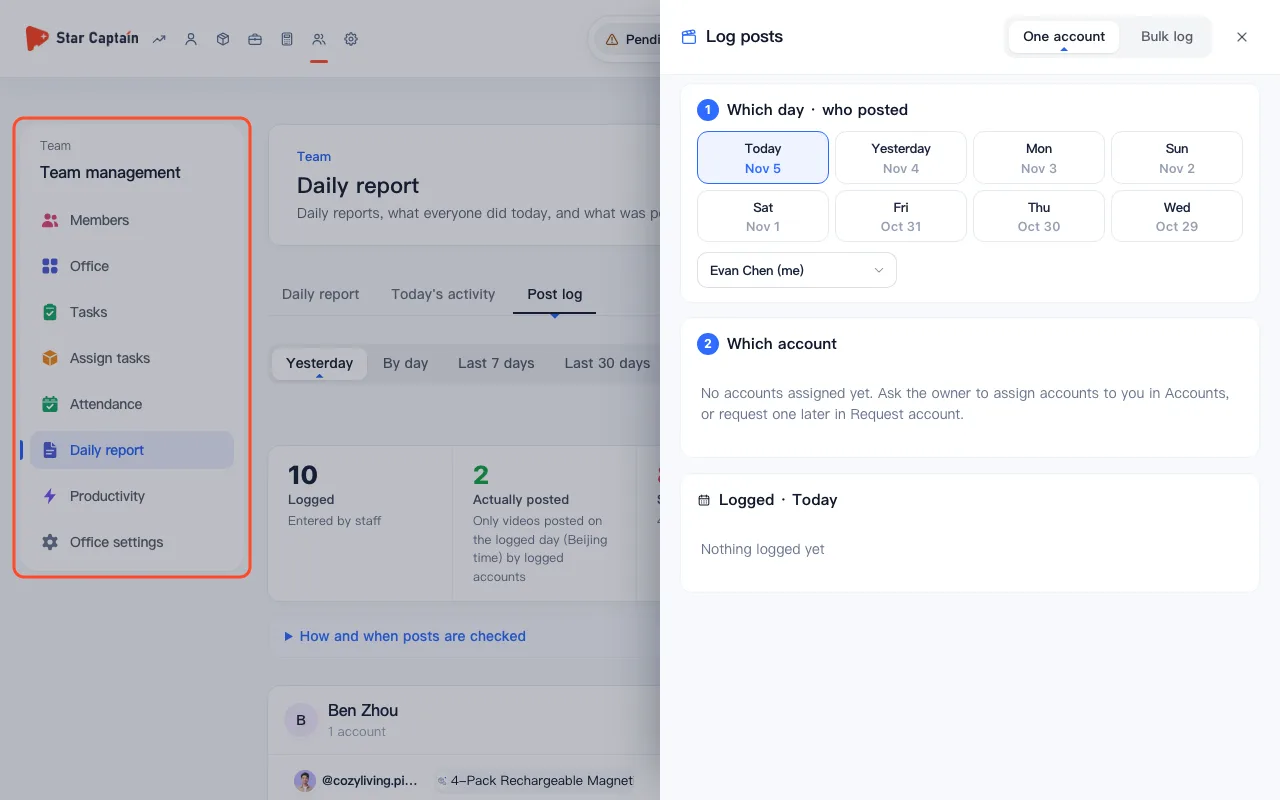
01Open "Team → Post log" and click "Log posts" for "One account"
To log published videos and check productivity, go to "Team", open the "Post log" tab, and click "Log posts" in the top-right corner (staff can also click "Log today's posts" under "Me"). With "One account" selected, pick "Which day" ("Today", "Yesterday", or an earlier day) and "Which account". Under "Which products · videos per product", products from your active tasks appear first with a "Task" badge. If a product was already reported in a task, keep "Already reported" checked so it only records the account without counting toward task progress again. Enter the ad code if prompted ("This product can run paid ads. Enter the ad code"), then click "Log".
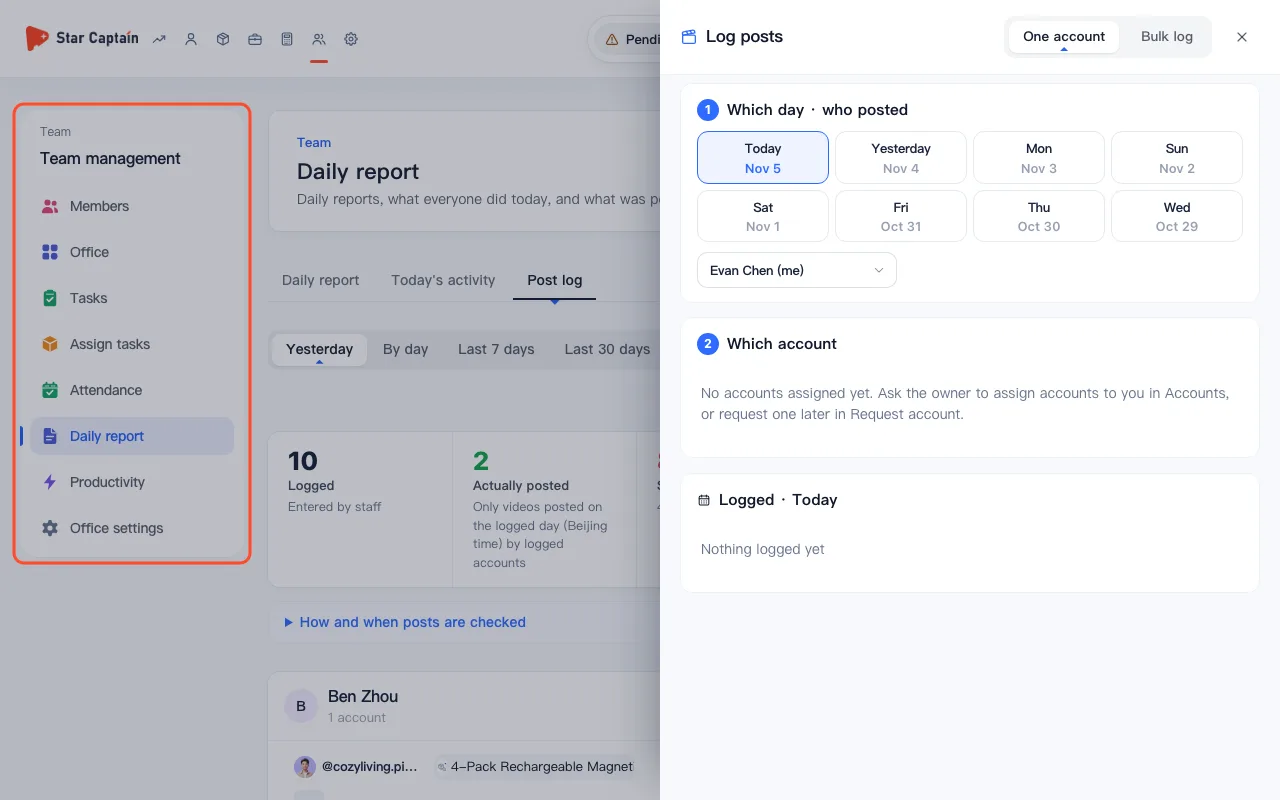
02Switch to "Bulk log" to submit multiple products and accounts at once
When the same batch of products was posted across several accounts, switch the drawer toggle to "Bulk log". First pick products under "Which products · videos per product per account", then check the target accounts under "Which accounts", adjust per-product or non-product video counts on each account row, add an optional note, and click "Log {a} accts ({n})". Any account that already had a log for that day is merged automatically.
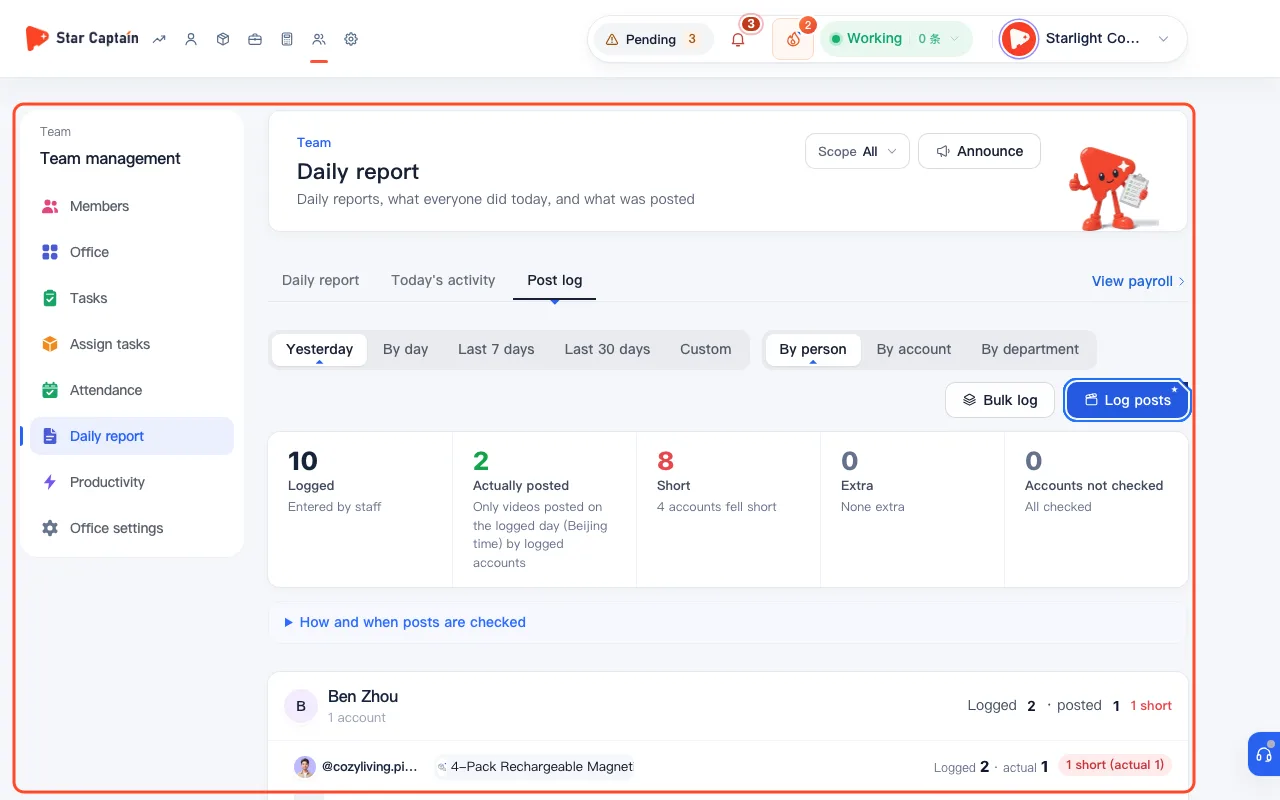
03Check the five summary cards in "Post log" for shortfalls and extras
Back on the "Post log" view, switch between "By day" (using "Previous day" and "Next day") and "Custom" (up to 62 days), and group the table "By account" or "By department". The five top summary cards show "Logged" ("Entered by staff"), "Actually posted" ("Only videos posted on the logged day (Beijing time) by logged accounts"), "Short" ("{n} accounts fell short"), "Extra" ("Posted more than logged"), and "Accounts not checked".
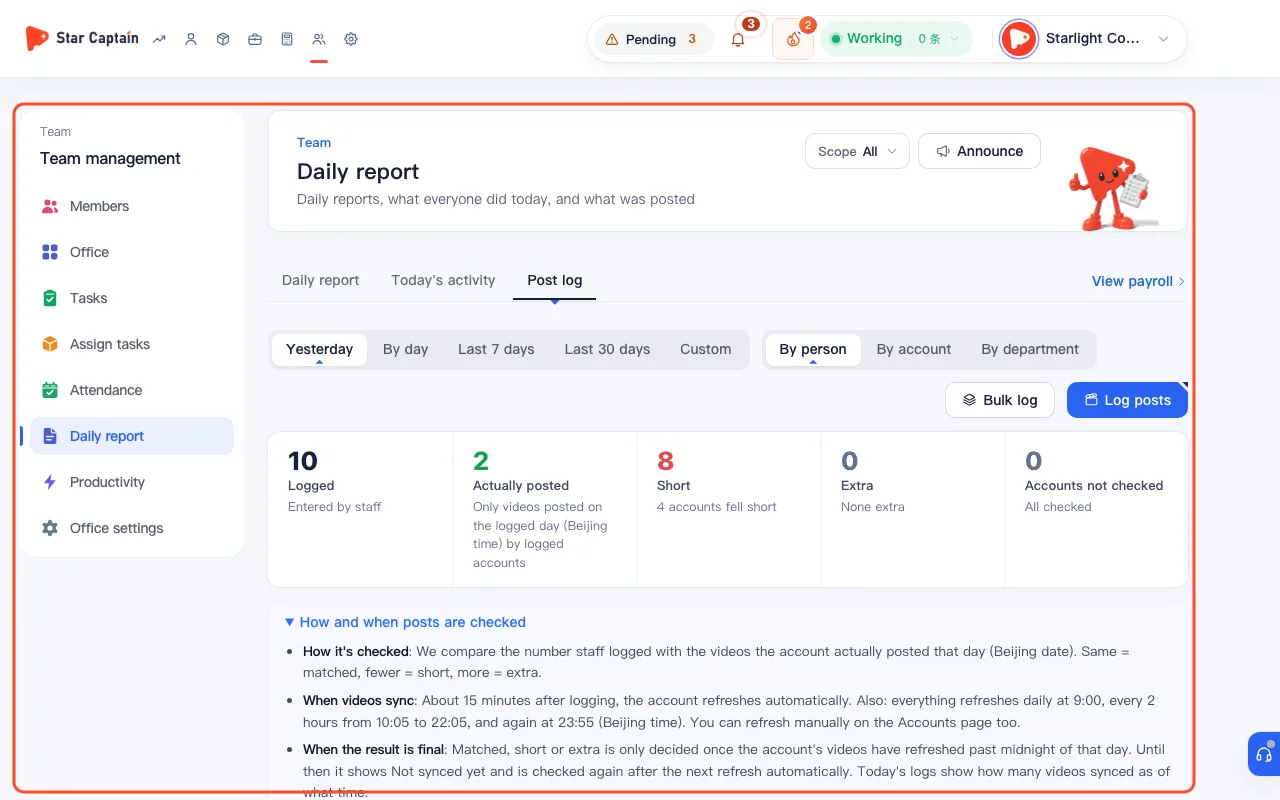
04Expand "How and when posts are checked" and inspect per-account badges
Click "How and when posts are checked" below the summary cards to review the verification timeline: accounts refresh automatically about 15 minutes after logging and on scheduled daily batches. Today's logs show "{n} videos synced · as of {time}", while final verdicts ("Checked · {n} videos posted", "{n} short (actual {actual})", or "{n} extra (actual {actual})") are decided once the account's videos have refreshed past midnight of that Beijing date.
05Open "Team → Productivity" to compare orders, profit/loss, and ROI by day, week, or month
Switch to the "Productivity" tab under "Team", pick "Today", "This week", or "This month" at the top left ("This week" notes "Counts through yesterday only (today is still coming in)"), and filter by department or group. Above the table, five summary cards show "Orders", "Est. commission", "Cost", "Profit / Loss (ROI)", and "Videos posted". In the table, core outcome columns come first with a highlighted background—"Staff", "Orders" (showing orders/items + GMV, with refund and net-of-refund GMV on hover), "Profit / loss", and "ROI"—followed by "Est. commission", "Videos posted", "On duty", "Target completion", "Output", and "Cost". Inactive members with zero activity are folded into "N people with no orders yet" at the bottom; click the account count on any row to expand every `@account` they hold, while unassigned accounts appear under "Unassigned".
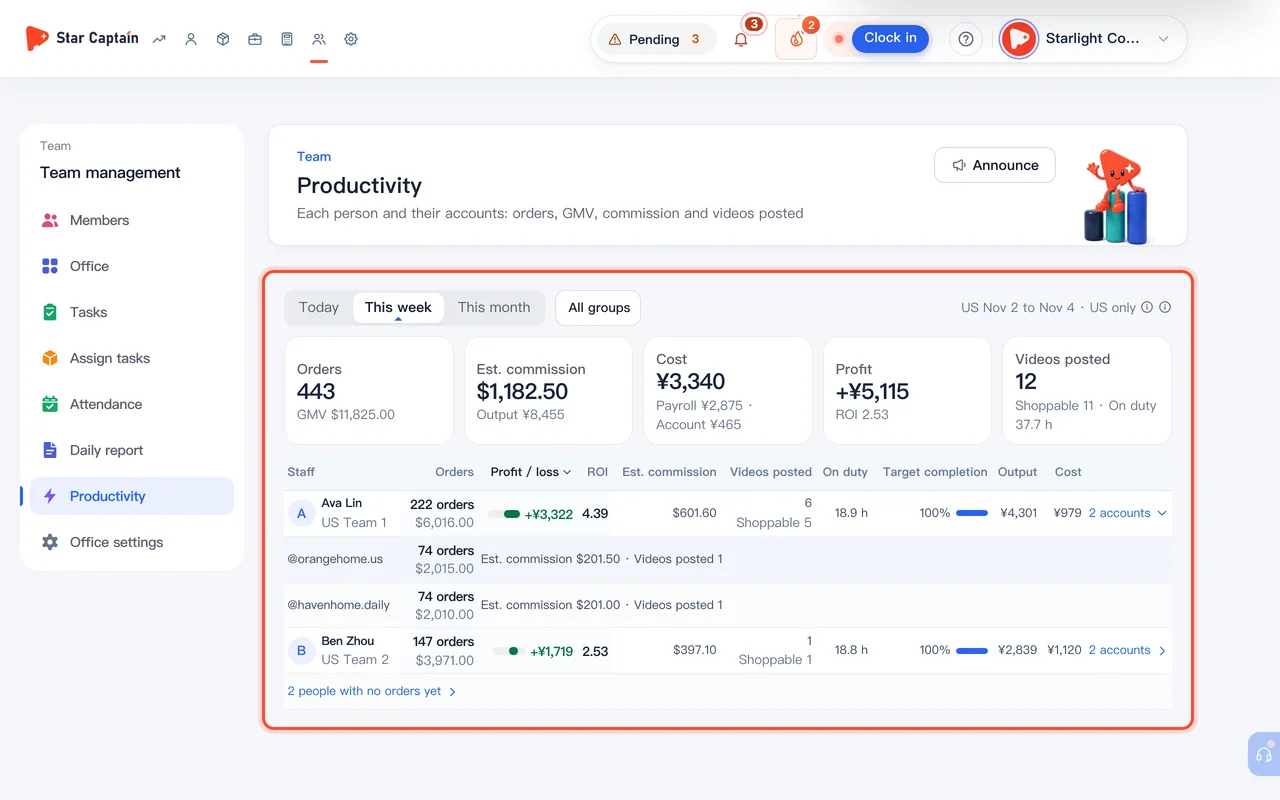
Screenshots use demo data. Check the product for what you actually see.
FAQ
Why does a log I just submitted say "Videos not synced to this day yet"?
Star Captain refreshes the account automatically about 15 minutes after logging and on scheduled daily syncs. Moreover, "Matched", "Short", or "Extra" is only decided once the account's videos have refreshed past midnight of that day (Beijing time) so evening posts aren't prematurely marked short. You can also refresh manually on the "Accounts" page.
If I already reported a product in a task, will logging posts count it twice?
No. When you log posts for yourself, task products with unlogged completions appear at the top and let you check "Already reported". Keeping it checked records the account in "Post log" without counting toward task progress a second time.
Why can "Actually posted" in Post log differ from "Videos posted" in Productivity?
They use different scopes. "Post log" only checks videos posted on the logged Beijing date by accounts that staff logged. "Productivity" counts all new videos posted across every account assigned to each member over the selected period ("Today", "This week" through yesterday, or "This month")—logged or not—alongside shoppable video counts, orders, output, and ROI.
Can staff log how many videos an account posted without picking products?
Yes. Both "One account" and "Bulk log" display "You can skip products and just log the count", letting staff record total videos posted per account even when a video has no product link.